Headings for the gallery and past events
Your photos, videos and old posters are added under Gallery and Past Events in the admin menu. The headings and introductions around them are in Site Settings, in two short sections: Gallery and Past events. This page covers both.
To add the pictures themselves, see Upload photos and videos to the gallery and The Past Events page.
The Gallery section
Site Settings → Gallery has five settings. Two are for the Gallery page and three for the preview of it on your home page.
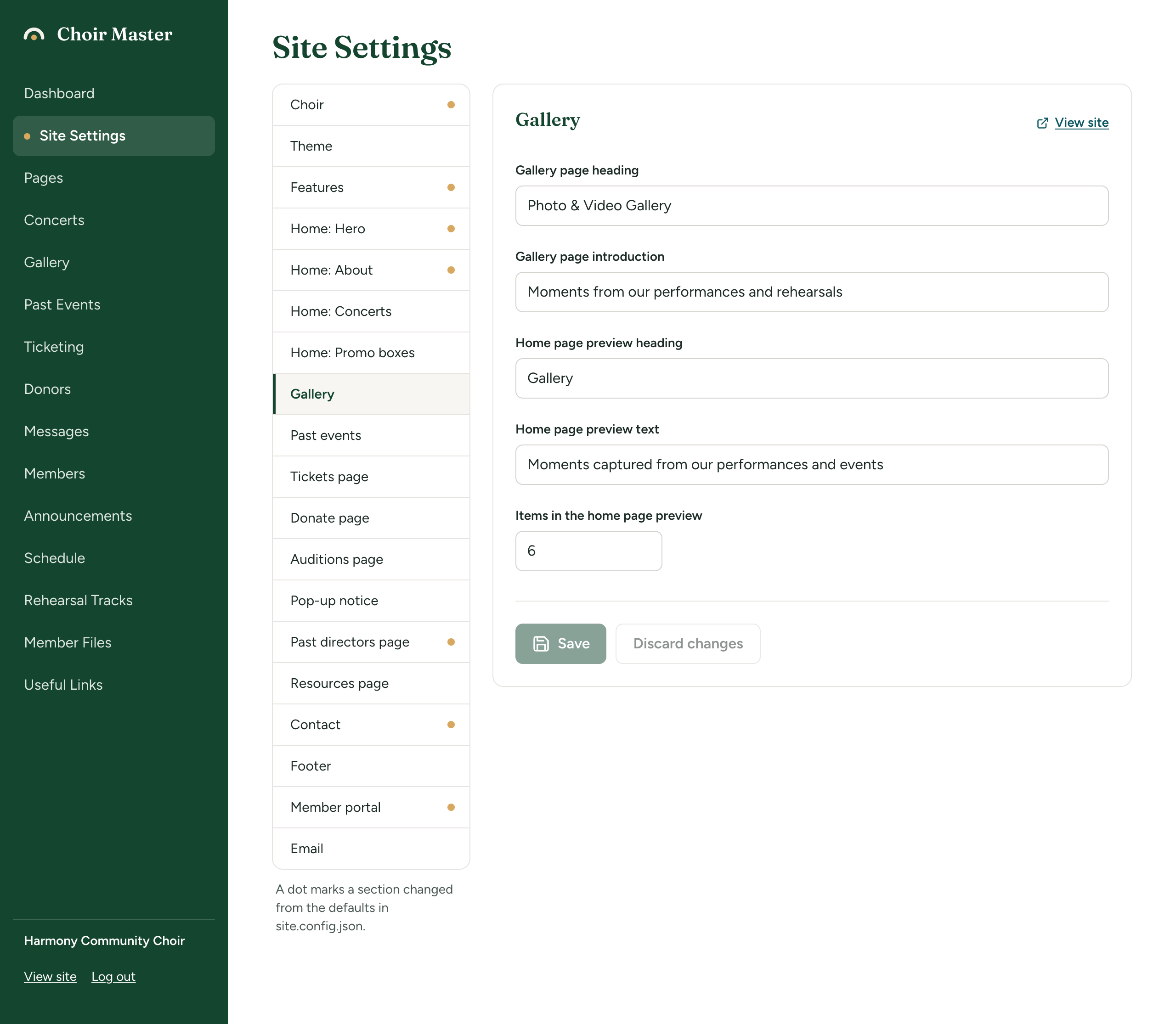
| Setting | Where it appears | Limit | A new site has |
|---|---|---|---|
| Gallery page heading | The top of the Gallery page. Empty means "Gallery". | 80 characters | Photo & Video Gallery |
| Gallery page introduction | One line under that heading. | 300 characters | Moments from our performances and rehearsals |
| Home page preview heading | Above the preview on the home page. Empty means "Gallery". | 80 characters | Gallery |
| Home page preview text | One line under the preview's heading. | 300 characters | Moments captured from our performances and events |
| Items in the home page preview | How many pictures the preview shows. | 0 to 12 | 6 |
The menu item always says Gallery, whatever the headings are.
The preview on your home page
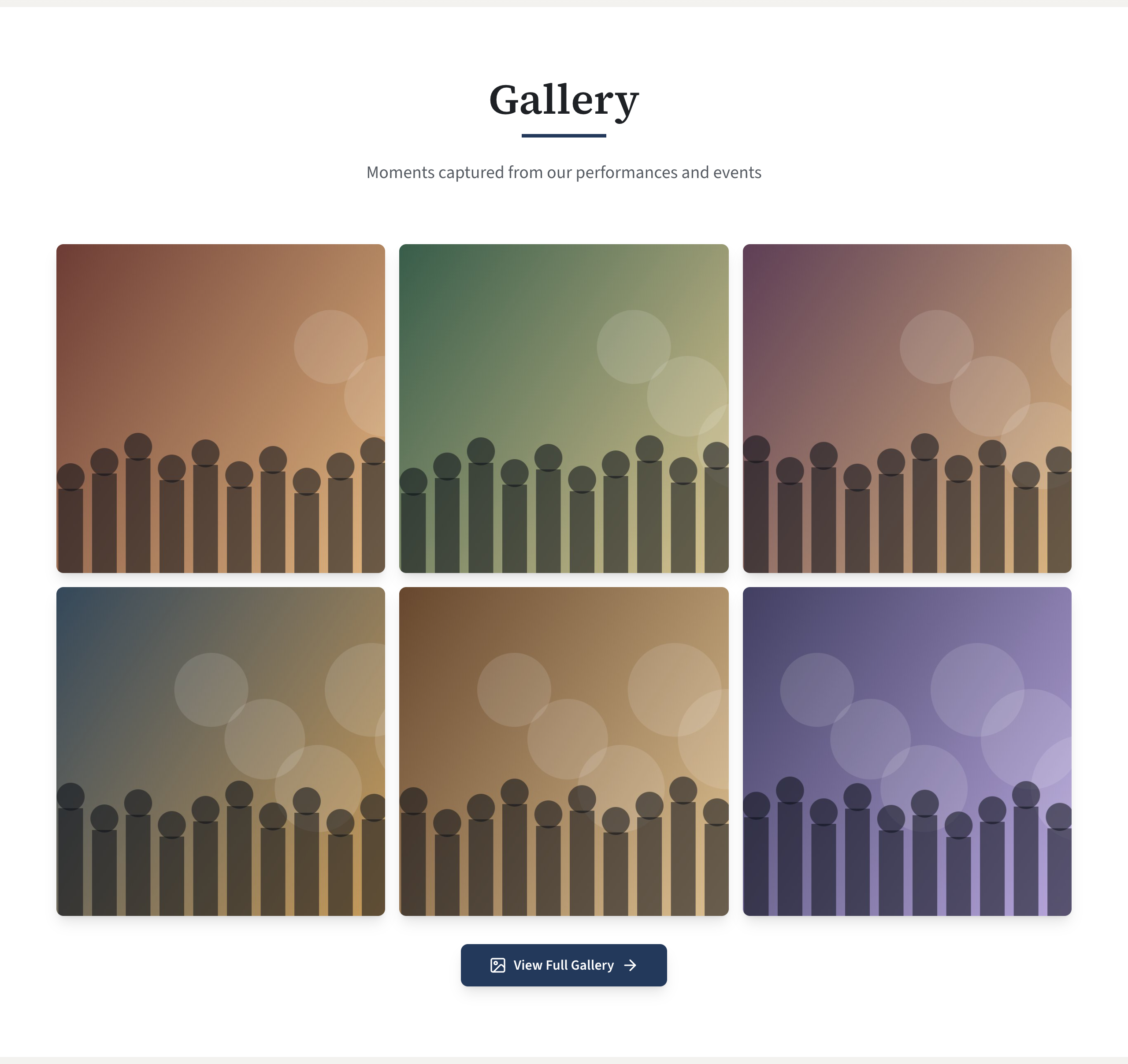
The preview is a grid of your gallery's first few photos and videos, between the promo boxes and the Contact section, with a View Full Gallery button under it. Selecting a picture or the button opens the Gallery page.
To change how many pictures it shows:
- Go to Site Settings → Gallery.
- Type a number from 0 to 12 in Items in the home page preview.
- Select Save.
The pictures are shown three to a row on a wide screen and two to a row on a phone, so 6 or 12 fills the rows evenly on both. Which pictures come first is decided by the order of your gallery: see Organise the gallery.
When the preview is not shown
The preview is left out of the home page, heading and all, when any of these is true:
- Items in the home page preview is 0. This is how to keep the Gallery page but have no preview.
- The gallery has nothing in it yet. The preview appears by itself once you upload something.
- Photo and video gallery is off in Features, which also removes the Gallery page.
If you clear the number box and leave it empty, the preview shows 6.
The Past events section
Site Settings → Past events has two settings, both for the Past Events page (/past-events).
| Setting | Where it appears | Limit | A new site has |
|---|---|---|---|
| Heading | The top of the Past Events page. Empty means "Past Events". | 80 characters | Past Events |
| Introduction | A paragraph under the heading. | 500 characters | A look back at the concerts and community events we have shared. |
To change them:
- Go to Site Settings → Past events.
- Change Heading and Introduction.
- Select Save.
Visitors reach the Past Events page from the button under your concerts on the home page. The words on that button are a different setting, Past events button label in Home: Concerts.
While the page has no posters, it says "Nothing here yet" and "Our performance history will appear here as it is added." Those words cannot be changed.
If something goes wrong
| Message | What to do |
|---|---|
Items in the home page preview: must be at most 12 | Type a number from 0 to 12. |
Items in the home page preview: must be at least 0 | The same. |