Your choir's name, place, currency and time zone
The Choir section holds the basic facts: what your choir is called, where it is, what money its prices are in and what time zone it keeps. Most of it is set once. Three of the settings (locale, currency and time zone) change how dates and money are shown and dated, so they are worth getting right before you sell a ticket or record a gift.
The Logo and Favicon boxes in this section have their own page: Your logo and browser-tab icon.
Change your choir's details
- Go to Site Settings → Choir.
- Change what you need.
- Select Save.
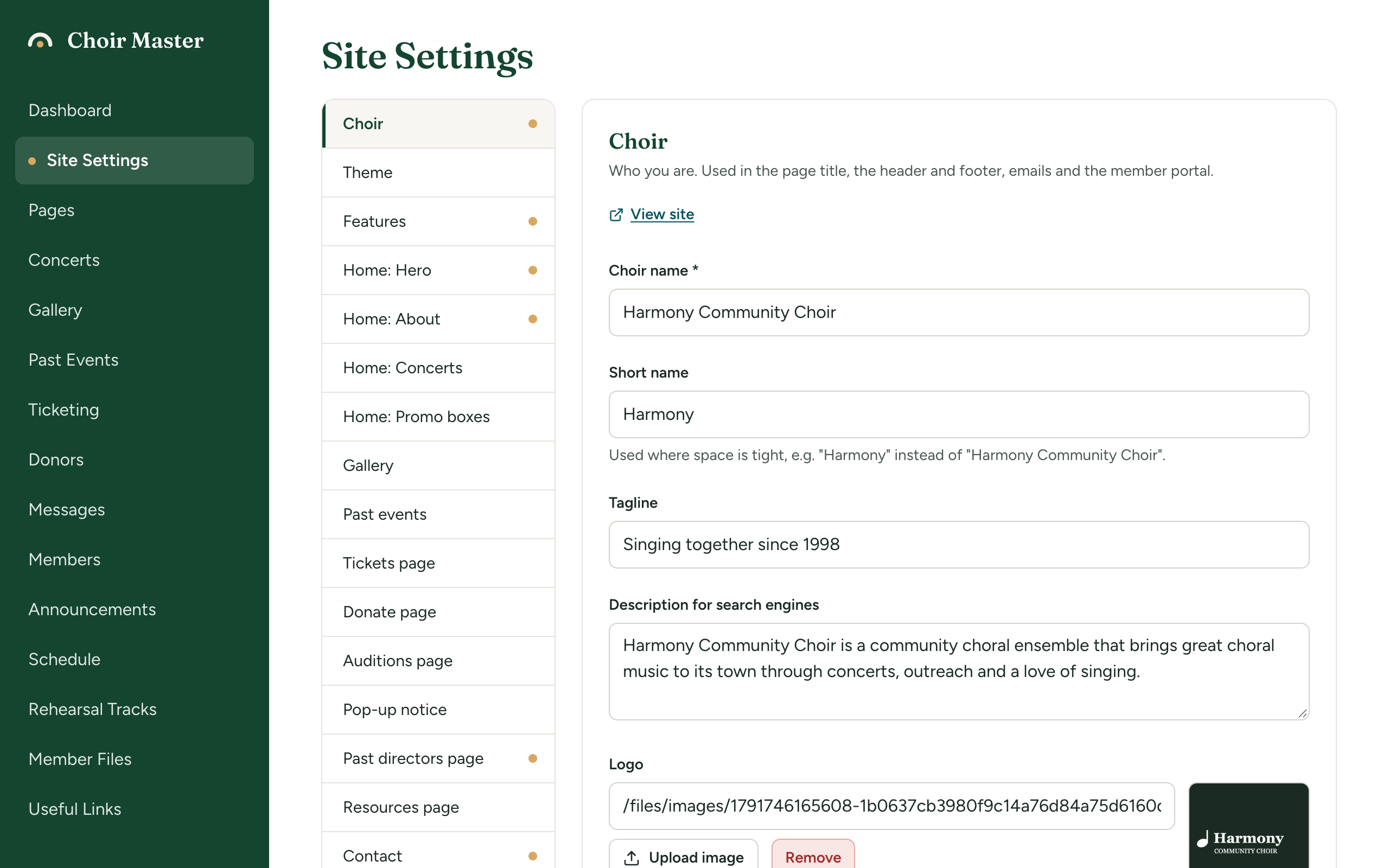
The settings
| Setting | What it is for | Limit |
|---|---|---|
| Choir name | Your choir's full name. The only box in this section that must be filled in. | 120 characters |
| Short name | A shorter name for where space is tight, such as "Harmony" for "Harmony Community Choir". | 60 characters |
| Tagline | A short phrase about your choir. | 200 characters |
| Description for search engines | One or two plain sentences saying who you are. It is also the sentence shown when a link to your site is shared. | 300 characters |
| City or town | Where your choir is. | 80 characters |
| Province, state or county | 80 characters | |
| Country | 80 characters | |
| Year founded | A year, as four figures. | 1000 to 3000 |
| Locale for dates and prices | How dates, times and prices are written. Default en-CA. | 20 characters |
| Currency | What your prices are in. Default Canadian dollars (CAD). | One of 14 |
| Time zone | Where your choir is. Default Eastern (Toronto). | Chosen from a list |
Where each one appears
| Setting | On the public site | In emails | In the member portal |
|---|---|---|---|
| Choir name | The browser tab's title, and the title of your site in a search result or when a link to it is shared. The menu bar and the footer, when you have no logo. The headline at the top of the home page, when Headline is empty. The copyright line of the footer. | The subject of login emails ("Your Harmony Community Choir login link"). The last line of emails, unless you set a sign-off. On a site we host, the name your emails come from. | The copyright line at the foot. The menu bar, when you have neither a logo nor a short name. |
| Short name | Not shown | Not used | The menu bar, when you have no logo. |
| Description for search engines | Not seen on the page itself. It is what a search engine may show under your site's name in its results, and what Facebook, Messages, WhatsApp or Slack show under it when someone shares a link. | Not used | Not used |
| Tagline, City or town, Province, state or county, Country, Year founded | Not shown on any page in version 1.6.12. | Not used | Not used |
Write a description of your own
A new site has the sample choir's description in the box. While it is still exactly the sample's wording and your choir has its own name, your site sends no description at all, so that the sample choir is never described under your name. Replace it with a sentence or two of your own: who you are, what you sing and where. If you empty the box, no description is sent either, and a search engine or an app chooses its own words or shows your name alone.
The name, the description, your favicon and the background photo of your home page are what a shared link is made from: see How your site looks when a link is shared.
The place and the year are still worth filling in: the guided setup and the writing assistant start from them when drafting text about your choir. The address visitors see is a different setting, Address or location in the Contact section.
Locale: how dates and prices are written
A locale is a short code for a language and a country, written as two letters, a hyphen and two capital letters. It decides how your site writes dates, times and money. It does not translate anything.
| Locale | A date | A time | A price in Canadian dollars |
|---|---|---|---|
en-CA | Saturday, December 5, 2026 | 7:30 p.m. | $25 |
en-US | Saturday, December 5, 2026 | 7:30 PM | CA$25 |
en-GB | Saturday, 5 December 2026 | 19:30 | CA$25 |
fr-CA | samedi 5 décembre 2026 | 19 h 30 | 25 $ |
de-DE | Samstag, 5. Dezember 2026 | 19:30 | 25 CA$ |
The exact result comes from the visitor's browser, so it can differ slightly from one device to another.
It is also the language the writing assistant writes a new draft in: with fr-CA it writes in Canadian French.
The box is not checked when you save. A code that is not written in this form (a stray space or full stop, say) makes dates and prices fall back to the American style, en-US. If your dates suddenly look American, check for a typing mistake here.
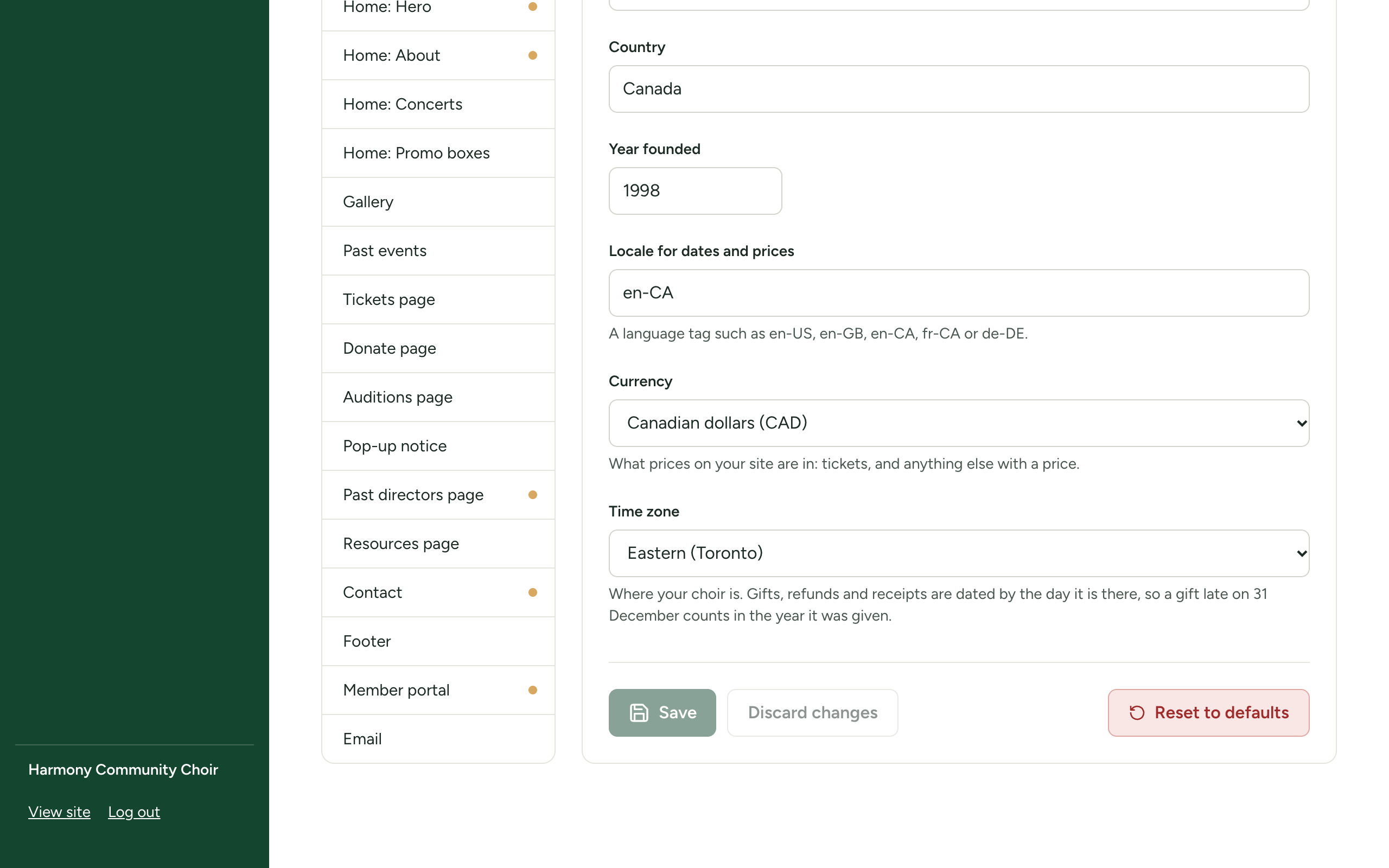
Currency
Currency is what every price on your site is shown in: the prices on your concerts, the tickets you sell on the site, and gifts given by card on your Donate page.
The choices are Canadian dollars (CAD), US dollars (USD), Pounds sterling (GBP), Euros (EUR), Australian dollars (AUD), New Zealand dollars (NZD), Swiss francs (CHF), Swedish kronor (SEK), Norwegian kroner (NOK), Danish kroner (DKK), South African rand (ZAR), Singapore dollars (SGD), Hong Kong dollars (HKD) and Mexican pesos (MXN).
Changing the currency does not convert anything. A ticket priced at 25 becomes 25 of the new currency. Choose it before you set prices.
Time zone
Time zone tells the site what day it is where your choir is. The computer your site runs on keeps a different clock, which late in the evening is already on tomorrow's date. The time zone matters for three things:
- Gifts, refunds and receipts are dated by your choir's day. A gift given online at 9 pm on 31 December counts in the year it was given, which matters for tax receipts.
- Ticket sales on your site close at the end of the concert's day, by your choir's clock, so people can still buy on the evening itself.
- A campaign can be given to online until the end of its last day.
Choose the nearest place in the list, which is grouped as Canada, United States, United Kingdom and Ireland, Europe, Australia and New Zealand, and Elsewhere.
The time zone does not change the dates and times you type for concerts and rehearsals. Those are shown exactly as you enter them.
If something goes wrong
| Message | What to do |
|---|---|
Choir name: is required | Type your choir's name. |
Year founded: must be at least 1000 or must be at most 3000 | Type the year as four figures, or clear the box. |
Currency: is not one of the choices | Reload the page and choose again from the list. |
Time zone: is not a time zone we know. Choose one from the list, or write its name as in America/Toronto | Choose from the list. |