The sign-off and footer of your emails
Your site sends email: login links, tickets, receipts and announcements. Two lines of their wording are yours to change, in Site Settings → Email. The rest of each email is fixed.
Site Settings → Email is only about wording. It is not the Email item in the admin menu, and it does not choose how email is sent. On a hosted site on the Starter or Premium plan, sending announcements from your own address is set up under that menu item: see Send announcements from your own address. On a self-hosted site, the sending service is chosen on the server: see Email: what the site sends and how to choose a provider.
Change the wording
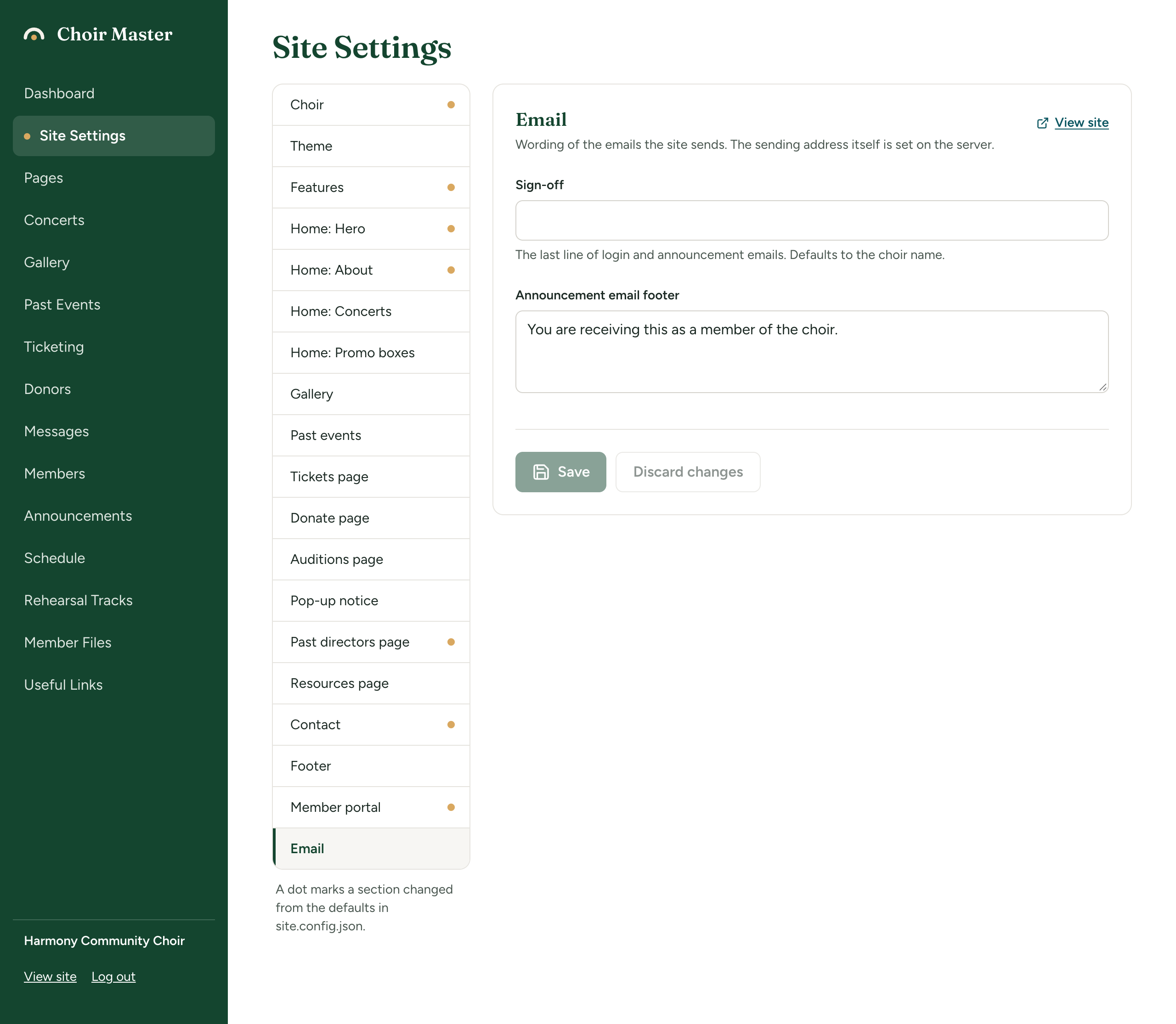
- Go to Site Settings → Email.
- Fill in Sign-off and Announcement email footer.
- Select Save.
| Setting | What it does | Limit |
|---|---|---|
| Sign-off | The last line of the email, under the message. Leave it empty to use your choir's name. | 120 characters |
| Announcement email footer | The small grey print at the foot of an announcement emailed to members. Leave it empty for "You are receiving this as a member of" followed by your choir's name. | 300 characters |
Which emails use which
Sign-off closes these emails, and is written as a line of its own:
- the login link emailed to a member, and to an admin where admins log in by email;
- the email that carries a buyer's tickets;
- a donation receipt sent by email;
- the thank-you sent to someone who gave online.
Announcement email footer is used by one kind of email only: an announcement emailed to members. It sits under a rule at the foot of the message, followed by two things you cannot change: a link to the member portal, and a link for the reader to stop receiving announcements by email.
The help text under Sign-off in the admin panel says it closes "login and announcement emails". In fact an announcement is closed by the announcement footer, not by the sign-off.
Emails to a concert's ticket holders and appeals to donors end with the choir's name, your email address and location, and a line saying why the reader is getting the message. Neither setting changes that.
Examples
| You write | The email ends |
|---|---|
| (empty) Sign-off | Harmony Community Choir |
| "With thanks, the Harmony committee" | With thanks, the Harmony committee |
| Announcement email footer: "You are receiving this because you sing with us." | You are receiving this because you sing with us. |
Good to know
- Both lines are plain text. Formatting and links are not carried into the email.
- The sample wording a new site starts with for the footer is "You are receiving this as a member of the choir." Replace it with your choir's name.
- Every email your site sends is listed in Every email your site sends.