Change your fonts
Your site uses two fonts: one for headings and one for everything else. They come as ready-made pairs, chosen from one drop-down in the Theme section of Site Settings. Changing the fonts leaves your colours as they are.
Choose a font pairing
- Go to Site Settings → Theme.
- Scroll down to Fonts and choose a pairing from the drop-down. Each is listed by its name, with the heading font and the text font in brackets.
- Look at the Preview just below. "Riverside Singers", "Spring Concert" and "Rehearsals" are in the heading font; the rest is in the text font.
- Select Save.
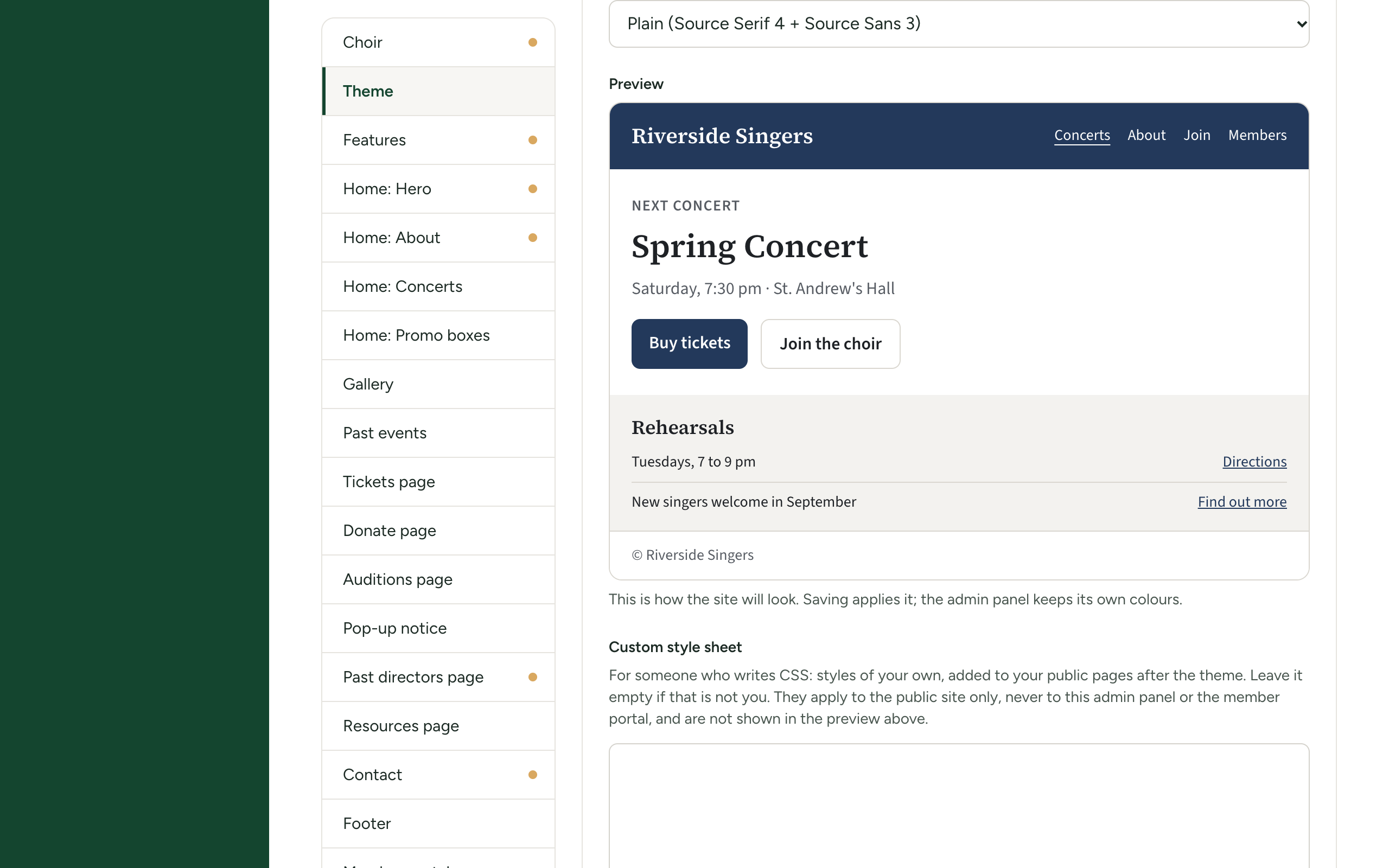
The first time you choose a pairing, the preview may take a moment to redraw while the fonts are fetched.
The fourteen pairings
| In the drop-down | Headings | Text | Feel |
|---|---|---|---|
| Plain (Source Serif 4 + Source Sans 3) | Source Serif 4 | Source Sans 3 | Neutral and easy to read. What a new site starts on. |
| Classic (Playfair Display + Inter) | Playfair Display | Inter | A concert programme |
| Elegant (Cormorant Garamond + Lato) | Cormorant Garamond | Lato | Fine, light, refined |
| Editorial (Libre Baskerville + Source Sans 3) | Libre Baskerville | Source Sans 3 | Bookish, formal |
| Liturgical (Cinzel + EB Garamond) | Cinzel | EB Garamond | Carved capitals, old print |
| Friendly (Lora + Nunito) | Lora | Nunito | Warm and readable |
| Vintage (Arvo + Lato) | Arvo | Lato | Slab lettering, old posters |
| Modern (Montserrat + Open Sans) | Montserrat | Open Sans | Clean, geometric |
| Bold (Poppins + Inter) | Poppins | Inter | Confident, contemporary |
| Poster (Oswald + DM Sans) | Oswald | DM Sans | Tall, narrow headlines |
| Playful (Fredoka + Nunito) | Fredoka | Nunito | Rounded and cheerful |
| Bubbly (Baloo 2 + Quicksand) | Baloo 2 | Quicksand | Soft, young |
| Georgia and Inter | Georgia | Inter | Headings in a font every device already has |
| System fonts (no download) | Georgia | Whatever the visitor's device uses for its own menus | Nothing to fetch: the fastest |
Headings are bold throughout the site, and every heading font here has a proper bold.
Fonts and ready-made themes are linked: choosing a theme's card sets one of these pairings for you. If you then choose a different pairing here, no theme card says Chosen any more, which is fine.
Where the fonts come from, and your visitors' privacy
Thirteen of the fourteen pairings use fonts from Google Fonts. The fonts are not stored on your site: each visitor's browser fetches them from Google's servers when it opens a page. That means Google's servers receive a request from each visitor, which shows them the visitor's internet address, as any website they visit would see.
- System fonts (no download) fetches nothing from anywhere. Choose it if your choir, or the privacy law where you are, would rather no visitor's browser contacted another company. It is also the quickest to appear.
- Georgia and Inter fetches the text font only; the headings use a font already on the device.
- All the others fetch both fonts.
This happens on every page of your site, the member portal included.
If you use any pairing but System fonts (no download), it is fair to say so in your privacy notice.
If the fonts look wrong
- Headings and text look like ordinary computer fonts. The visitor's browser could not reach Google Fonts: some offices, schools and ad blockers stop it. The site falls back to Georgia or the device's own font and stays readable. System fonts (no download) looks the same for everyone.
- The old fonts still show after saving. Reload the page.