Your Auditions page
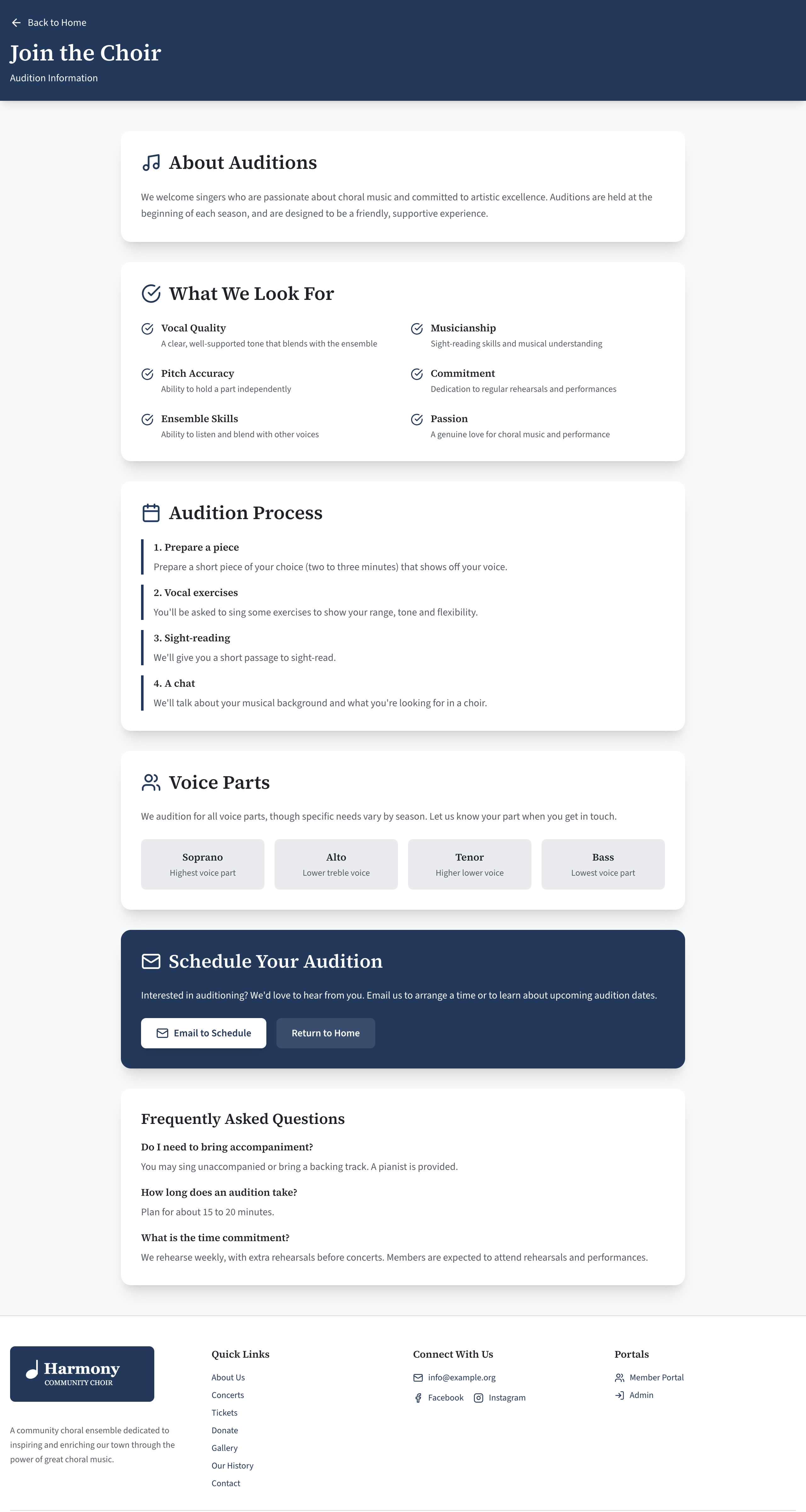
The Auditions page (/auditions) is for people thinking of joining. It explains what you look for, what happens at an audition and how to arrange one. All of it is in Site Settings → Auditions page. A new site has sample wording in every part, for you to replace.
If your choir does not audition, the page still works as a "Join us" page: change the headings and remove the parts that do not apply. If you do not want it at all, untick Auditions page in Features.
How visitors find the page
The Auditions page is not in the menu at the top of your site. Visitors reach it from:
- the "Join us" box in the Contact section of your home page, which links to it. Its wording is in Contact details and social media;
- any button or box you point at
/auditions: a button at the top of your home page, a promo box, or the pop-up notice, whose sample wording is an audition call.
To put it in the menu, there is no setting. A promo box titled "Join the Choir" is the most visible alternative.
The page, part by part
The page is built from six parts, in this order. Each heading has a fallback, used when you leave its box empty.
The top of the page
| Setting | What it does | Limit |
|---|---|---|
| Heading | The page's main heading. Empty means "Join" followed by your choir's name. | 80 characters |
| Subheading | One line under it. | 120 characters |
About auditions
| Setting | What it does | Limit |
|---|---|---|
| About section heading | Empty means "About Auditions". | 80 characters |
| About auditions | The text, with formatting: see Format text with the editor. |
This part is left out when About auditions is empty.
What you look for
| Setting | What it does | Limit |
|---|---|---|
| "What we look for" heading | Empty means "What We Look For". | 80 characters |
| What we look for | A list of qualities, each with a Title (60 characters) and a Text (200), shown with a tick beside each, in two columns. | Up to 8 |
The audition process
| Setting | What it does | Limit |
|---|---|---|
| Process heading | Empty means "Audition Process". | 80 characters |
| Steps | What happens, in order. Each step has a Title (80 characters), a Text (600), and optionally an Optional link label (80) and an Optional link. | Up to 8 |
The steps are numbered for you, "1.", "2." and so on, in the order of the list. Do not type the numbers.
A step's link is for something like a form to fill in or a piece to download. It is shown under the step only when both the label and the link are filled in, and it always opens in a new tab.
Voice parts
| Setting | What it does | Limit |
|---|---|---|
| Voice parts heading | Empty means "Voice Parts". | 80 characters |
| Voice parts text | A paragraph above the parts, for example which parts you need this season. | 400 characters |
| Voice parts | Each with a Name (40 characters) and a Description (100), shown as small boxes in a row. | Up to 8 |
This list is only wording for this page. The sections members are filed under in the member portal are a separate list: see Set up your sections and voice parts.
The contact section
| Setting | What it does | Limit |
|---|---|---|
| Contact section heading | Empty means "Schedule Your Audition". | 80 characters |
| Contact section text | A paragraph inviting people to write. | 400 characters |
| Audition contact email | The address the Email to Schedule button writes to. | 200 characters |
This part is a coloured box with two buttons: Email to Schedule and Return to Home. It is always shown.
Email to Schedule opens the visitor's email program with a new message to the audition contact, with the subject already filled in as "Audition inquiry". The wording of the button and the subject cannot be changed.
If Audition contact email is empty, the button writes to your Public email address from the Contact section instead. If that is empty too, the button is not shown.
A new site has info@example.org here, which is nobody's address. Change it to the person who arranges auditions, or empty it to use your public address.
Questions
| Setting | What it does | Limit |
|---|---|---|
| FAQ heading | Empty means "Frequently Asked Questions". | 80 characters |
| Questions | Each with a Question (200 characters) and an Answer (800). | Up to 12 |
Change the page
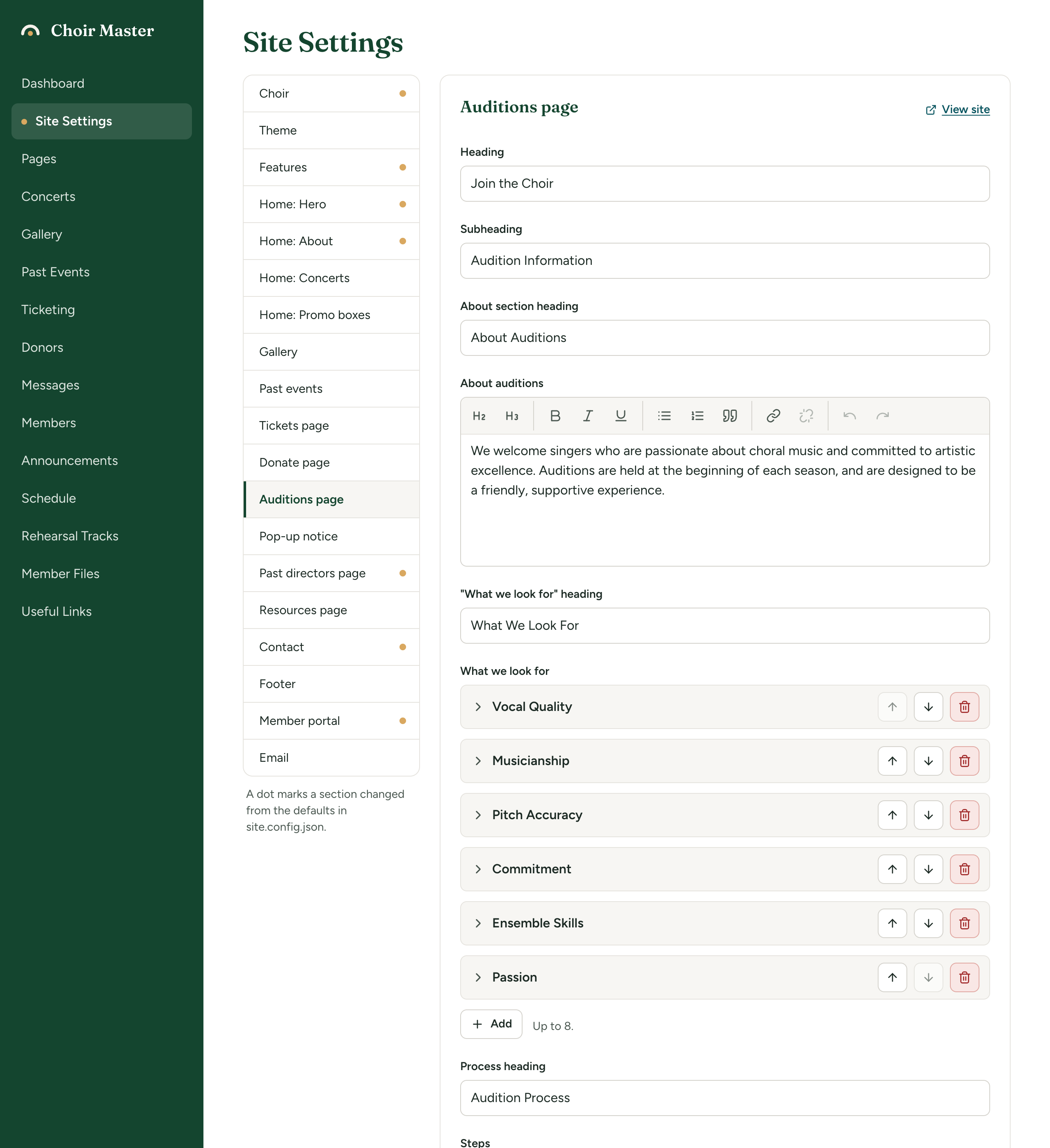
- Go to Site Settings → Auditions page.
- Work down the section. To change a list, open an entry by its title bar, or select Add under the list: see Lists of entries.
- Select Save, then View site and go to
/auditionsto check it.
Leave a part out
A part is left out of the page when its list is empty:
| To leave out | Do this |
|---|---|
| About auditions | Empty the About auditions box. |
| What you look for | Remove every entry from What we look for. |
| The process | Remove every entry from Steps. |
| Voice parts | Remove every entry from Voice parts. The Voice parts text goes with them. |
| Questions | Remove every entry from Questions. |
An entry with no title (or no name, or no question) is not shown either, which lets you keep one in reserve.