Switch pages and features on or off
Not every choir needs every page. The Features section of Site Settings is a list of 17 tick boxes, one for each page or part of the site that can be left out. Switch off what you do not use, and your menus, your home page and your admin panel get shorter.
Switch something on or off
- Go to Site Settings → Features.
- Tick or untick the boxes.
- Select Save.
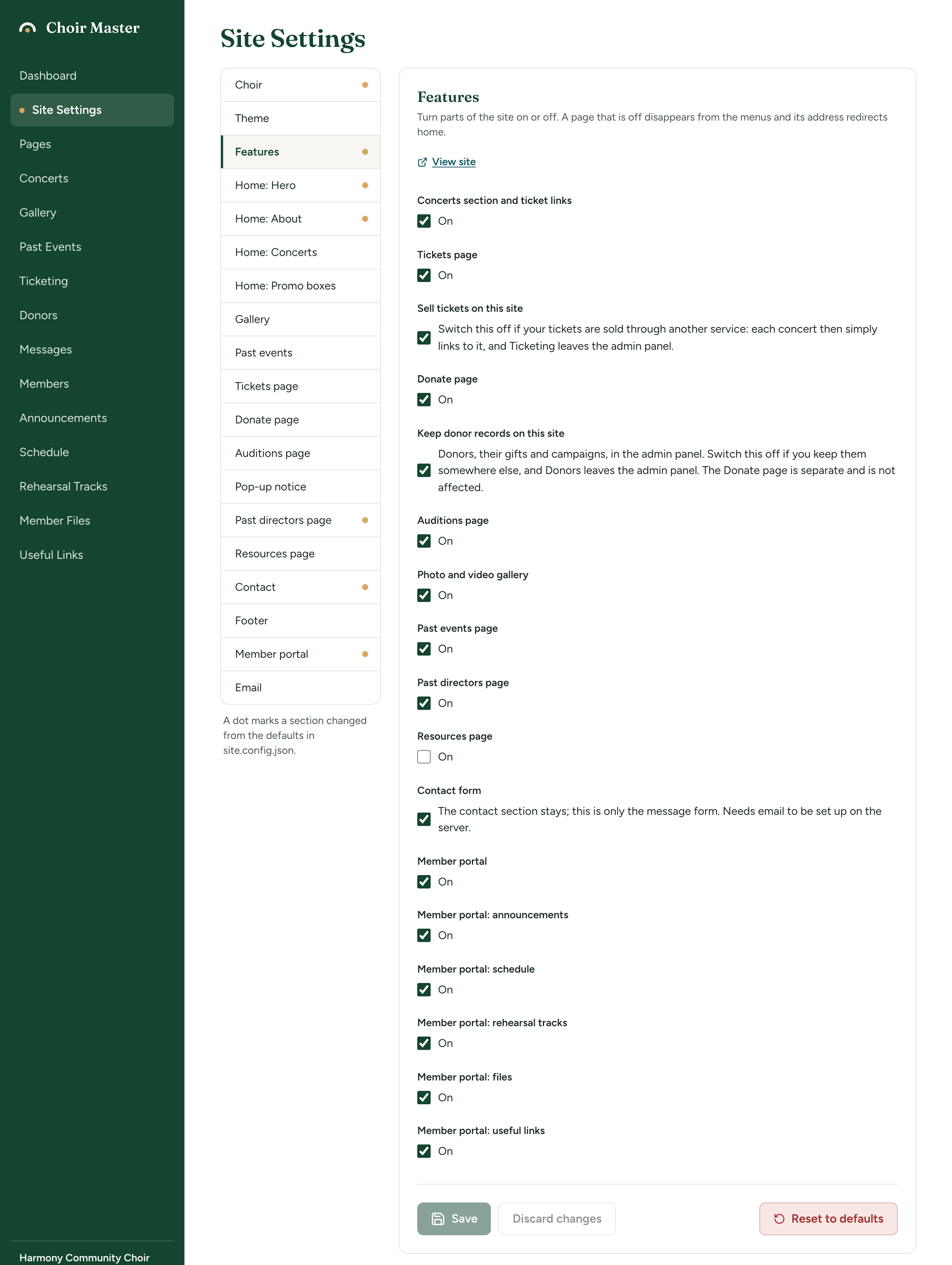
Each box has its name in bold above it. Beside most boxes it just says On; three have a line of explanation instead.
What happens when something is switched off
- It leaves the public menus. The item goes from the menu bar and from Quick Links in the footer. (Only Concerts, Tickets, Resources, Donate and Gallery have a menu item; the Auditions, Past Events and Past Directors pages are reached by links instead.)
- Its address goes to the home page. Someone who follows an old link or bookmark to
/gallery, say, lands on your home page rather than an error. - Its item leaves the admin panel, both the menu and the dashboard tile, where it has one.
- Nothing is deleted. Your concerts, photos, members, messages and wording are all kept. Switch the feature back on and everything is as you left it.
A switch is about what your site shows. It is not a lock: it hides a page, it does not protect what is on it.
The seventeen switches
All are on for a new site except Resources page.
| Switch | Starts | What it controls |
|---|---|---|
| Concerts section and ticket links | On | The Concerts section of the home page, Concerts in the public menu, and Concerts in the admin panel. |
| Tickets page | On | The Tickets page (/tickets), Tickets in the public menu, and the price and Get Tickets button on each concert on the home page. |
| Sell tickets on this site | On | Ticketing in the admin panel, and tickets sold on your own Tickets page. On screen: "Switch this off if your tickets are sold through another service: each concert then simply links to it, and Ticketing leaves the admin panel." |
| Donate page | On | The Donate page (/donate) and Donate in the public menu. |
| Keep donor records on this site | On | Donors in the admin panel. On screen: "Donors, their gifts and campaigns, in the admin panel. Switch this off if you keep them somewhere else, and Donors leaves the admin panel. The Donate page is separate and is not affected." |
| Auditions page | On | The Auditions page (/auditions) and the "Join us" box in the Contact section. |
| Photo and video gallery | On | The Gallery page (/gallery), Gallery in the public menu, the gallery preview on the home page, and Gallery in the admin panel. |
| Past events page | On | The Past Events page (/past-events), the button to it under your concerts, and Past Events in the admin panel. |
| Past directors page | On | The Past Directors page (/past-directors) and the link to it in the About section. |
| Resources page | Off | The Resources page (/resources) and Resources in the public menu. |
| Contact form | On | The message form in the Contact section, and Messages in the admin panel. On screen: "The contact section stays; this is only the message form. Needs email to be set up on the server." |
| Member portal | On | The whole member portal (/member), the link to it in the footer, and Members in the admin panel. |
| Member portal: announcements | On | Announcements on the portal's home page, and Announcements in the admin panel. |
| Member portal: schedule | On | The portal's Schedule page, and Schedule in the admin panel. |
| Member portal: rehearsal tracks | On | The portal's Rehearsal Tracks page, and Rehearsal Tracks in the admin panel. |
| Member portal: files | On | The portal's Files page, and Member Files in the admin panel. |
| Member portal: useful links | On | The portal's Links page, and Useful Links in the admin panel. |
Exactly what each switch shows and hides, place by place, is in Feature switches: what each one shows and hides.
Switches that depend on others
Some switches only do anything while another is on.
| This | Needs this to be on as well |
|---|---|
| Tickets page | Concerts section and ticket links. With Concerts off, the Tickets page and its menu item go too. |
| Sell tickets on this site | Tickets are sold on the Tickets page, so that page (and therefore Concerts) must be on for anyone to buy. Ticketing stays in the admin panel either way. |
| The five Member portal: … switches | Member portal. With the portal off, none of its parts is shown and their items leave the admin panel. |
| The giving form on the Donate page | Donate page and Keep donor records on this site, because a gift given online has to be added to a donor's record. See Take gifts by card on your Donate page. |
| The "Join us" box in the Contact section | Auditions page |
| The link to past directors in the About section | Past directors page |
Three things keep working whatever is switched off, so that nobody is left stranded: a buyer's own ticket page (the link in their ticket email), a giver's thank-you page, and the page for stopping emails.
The contact form works without email
The line beside Contact form says it "Needs email to be set up on the server". That is more cautious than the site really is. If your site cannot send email, or sending fails, a message from the form is not lost: it is kept on the site, and you read it under Messages in the admin panel. The visitor is thanked either way.
So leave Contact form on unless you do not want a form at all. See Contact form messages.