A member cannot log in
This page is for you, the admin, when a singer says they cannot get into the member portal. Work down the checklist: the first three items account for nearly every case.
Why the login page cannot tell them
When someone asks for a login link, the page answers "Check your email" for every address, whether or not it belongs to a member. That is on purpose: otherwise anyone could type in addresses to find out who sings in your choir. The cost is that a member who typed the wrong address is told nothing, and comes to you.
Checklist
1. Are they on the list, and Active?
Open Members in the admin panel and find them.
- Not there: add them. See Add, change, disable or remove members.
- Status is Disabled: edit them and set Status to Active.
A link is only ever sent to an Active member.
2. Does the address match exactly?
Ask which address they typed and compare it, letter by letter, with Email on their record. The usual causes are a second address (work and home), an old address, or a typing mistake made when they were added. Capital letters do not matter.
Correct the address on their record, or tell them which one to use.
3. Is it in their spam folder?
Ask them to look in spam or junk for a message with the subject "Your", your choir's name, and "login link". If it is there, ask them to mark it as not spam so that the next one arrives.
4. Has the link run out, or been used?
A link works once and for 15 minutes. A link that is too old or already used gives:
This login link has expired or has already been used. Request a new one below.
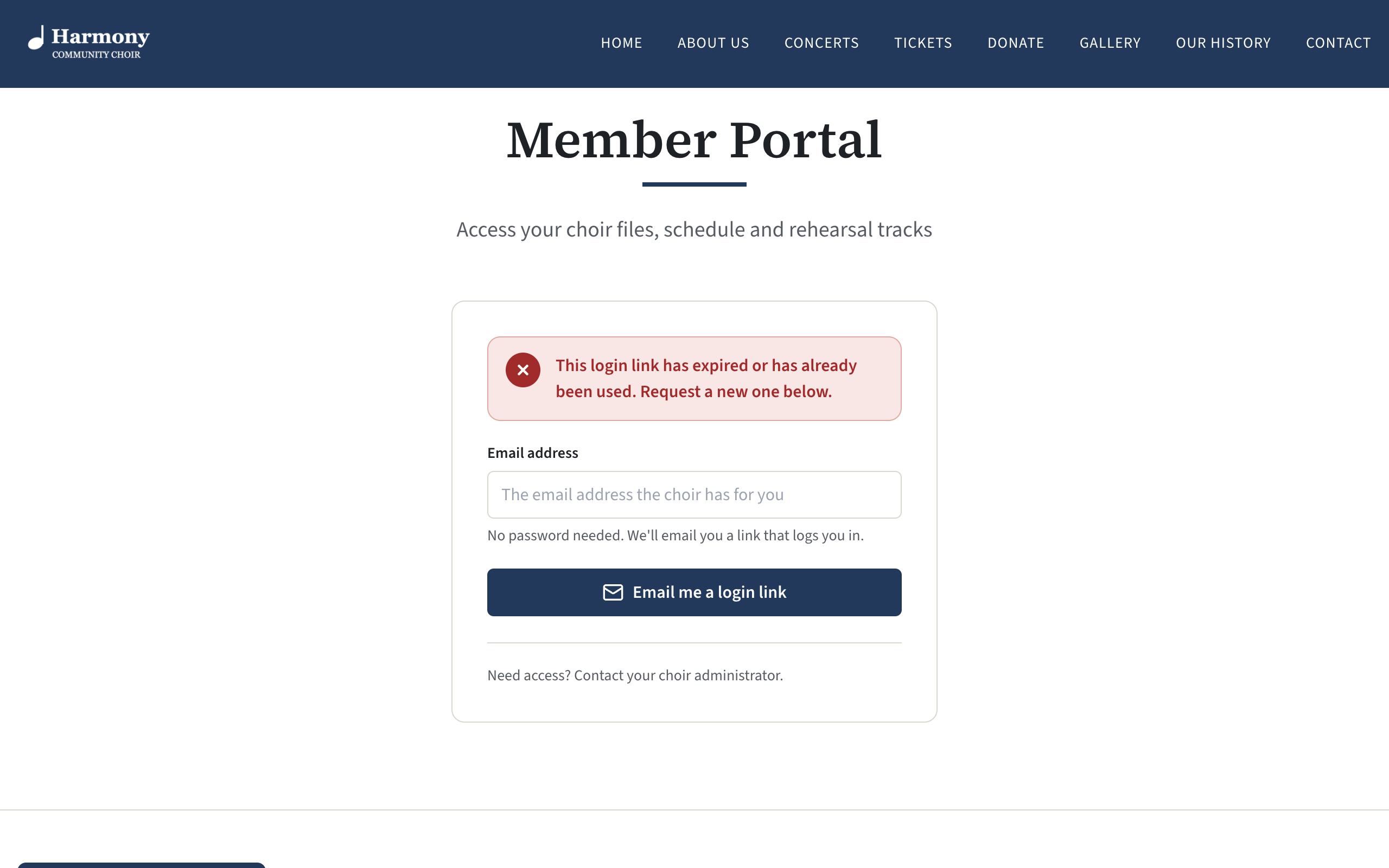
They ask for a new link on the same page. Common ways to end up here: opening an older email when several links were requested, pressing the button in the email twice, or coming back to the email later in the day.
5. Did they press Log in?
Opening the link is not enough. The page that opens says "You're almost in" and has a Log in button, which they must press. This step exists because many mail services open every link in an email to check it, which would otherwise use the link up before the member got to it.
6. Did they open it on the right device?
The link logs in the device and browser it is opened on. Someone who asks for the link on a laptop and opens the email on a phone is logged in on the phone, and the laptop still shows the login page. Ask them to open the email on the device they want to use.
7. Have they asked too many times?
Each member can be sent one link a minute, and five in an hour. Requests beyond that are quietly ignored: the page still says "Check your email" and no email is sent. Ask them to wait an hour, then ask once and use the newest email.
8. Did you just edit their record?
Saving a member, or setting several members Active or Disabled, cancels any link already sent to them and not yet used. Ask them to request a new one.
9. Do they stay logged in?
A member stays logged in on a device for 30 days. If they are asked to log in every time, their browser is discarding its cookies: a private or incognito window, or a setting that clears cookies when the browser closes. They need an ordinary window.
Check whether they have ever got in
The Last login column on the Members page shows the date a member last logged in, or Never. If it shows a recent date, the login is working and the problem is on one device.
If nobody can log in
When every member has the same trouble, the cause is the site's email and not any one member.
"Look around as a sample member"
A demonstration site has an extra button on its member login page, Look around as a sample member, with the note "This is a demonstration site." It lets a visitor into the portal as a made-up member without an email address.
Your own site does not have this button, and nothing in the admin panel can switch it on. Every real member logs in with an emailed link. See Look around the demo site.
Messages a member may see
| Message | What it means |
|---|---|
| Check your email | The request was accepted. It does not mean the address belongs to a member. |
| Enter a valid email address. | What they typed is not in the form name@example.org. |
| This login link has expired or has already been used. Request a new one below. | See item 4. It is also shown if their record was disabled, deleted or edited after the link was sent. |
| Server error | The site could not handle the request. If it persists, on your own server check the log; on a hosted site, get help. |