Members and the member portal
The member portal is a private part of your website for your singers. They log in to read your announcements, check the rehearsal schedule, listen to rehearsal tracks and fetch documents. This page explains how it fits together and points you to the page for each job.
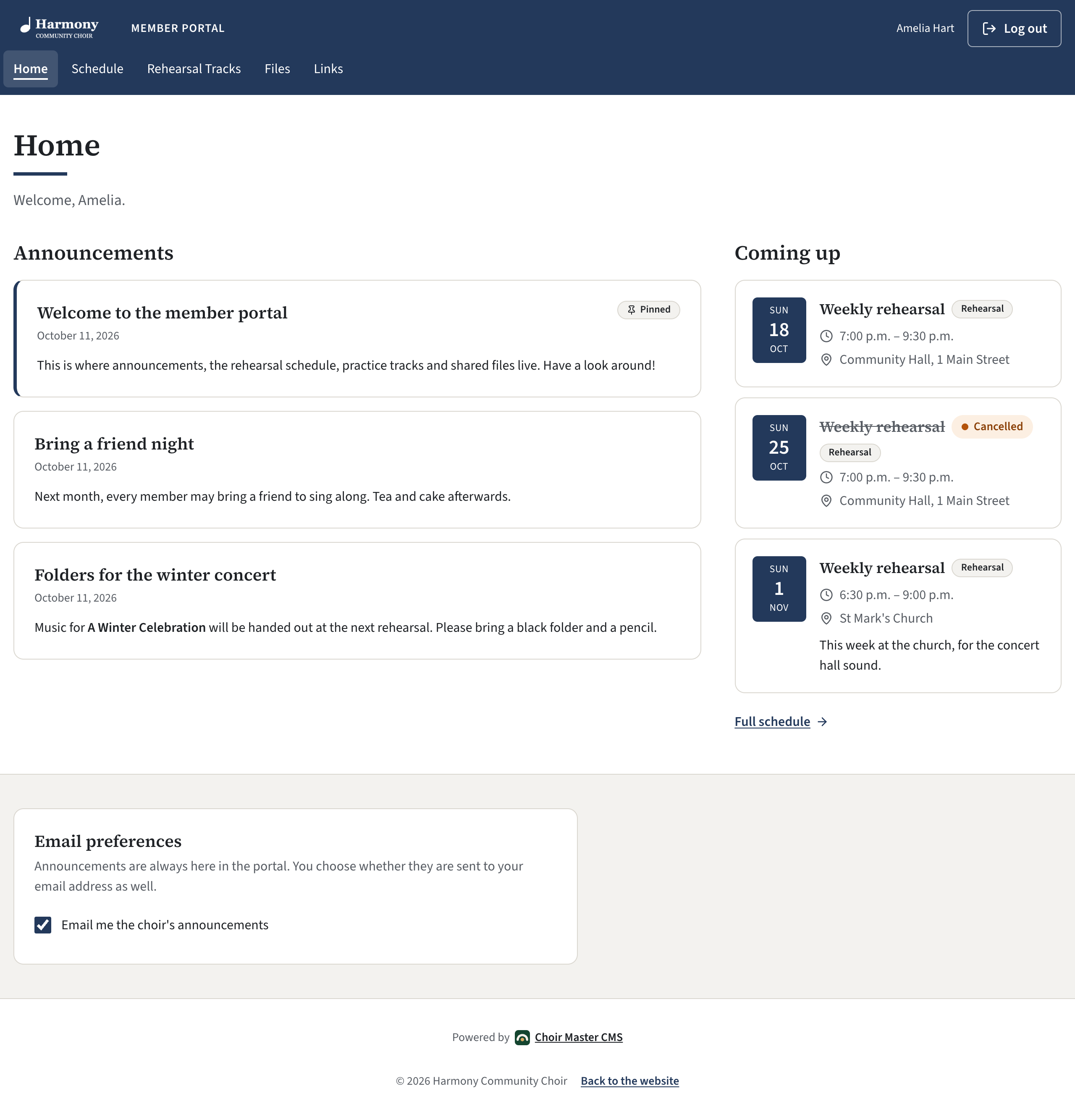
What is in the portal
Each part can be switched on or off, so your portal has only what your choir uses.
| Part | What members find there | You manage it in |
|---|---|---|
| Home | Your announcements, the next three events, and their own email preference | Announcements and Schedule |
| Schedule | Rehearsals, concerts and other dates, month by month | Schedule |
| Rehearsal Tracks | Audio tracks for each song of a concert, by voice part | Rehearsal Tracks |
| Files | Documents to download: scores, minutes, forms | Member Files |
| Links | Websites you want to point members to | Useful Links |
| Members | A list of the choir's members. Off unless you switch it on | Site Settings, then Member portal |
Members are not admins
A member is a singer who can use the portal. A member can read and listen, and can change one thing only: whether your announcements are also emailed to them.
An admin is someone who can log in to the admin panel and run the site. The two lists are separate. Adding someone as a member does not let them into the admin panel, and an admin who also sings needs adding as a member too. See The three kinds of admin.
Members have no password. A member types their email address on the login page, and the site emails them a link that logs them in. Only an address on your list of members, marked Active, is sent a link.
What you need
- Member portal switched on in Site Settings, under Features. It is on for a new site. See Set up the member portal.
- Email that works, because that is how members log in.
Find the task you need
Getting started
- Set up the member portal: turn it on, choose its parts, name it.
- Set up your sections and voice parts: Soprano, Alto, Tenor, Bass, or your own.
- Add, change, disable or remove members
- Import your member list: add a whole choir at once.
- Let members see who else is in the choir
Keeping in touch
The schedule
- Add a rehearsal or concert to the schedule
- Add your weekly rehearsal once
- Cancel or change one rehearsal
Things to share
- Share documents with members
- Share useful links
- Add songs and upload rehearsal tracks
- Build a concert lineup and publish it
Pages to send to your singers
These pages are written to the singer. Send the link, or copy the words into an email.
When a singer tells you they cannot get in, see A member cannot log in.