How people stop your emails
People must be able to say "stop emailing me", and your site lets them do it themselves, without asking you. This page covers all three groups you can write to: members, ticket buyers and donors. Read it once so that you know what a "someone has stopped" email means and why some members are left out of a send.
What can be stopped, and what cannot
Three kinds of email can be stopped by the person receiving them:
| Kind of email | Who receives it | What stops |
|---|---|---|
| Announcements to members | Active members | The emailed copy only. The member still sees every announcement in the portal. |
| News to ticket buyers | People who have ordered tickets | Messages you send as News or promotion. See Email a concert's ticket holders. |
| Appeals to donors | Donors with an email address | Every message you send from Donors. See Email your donors. |
Emails that are part of something the person asked for are always sent, whatever they have chosen:
- login links for the member portal and the admin panel;
- the email a buyer's tickets come in;
- receipts for gifts;
- the thank-you sent for a gift given online;
- a message to ticket holders sent as About this concert, such as a change of time or venue. It goes to everyone holding tickets and has no link to stop it.
How someone opts out
The link in the email
Every email of the three kinds above ends with the reader's own link: Stop receiving announcements by email for members, Stop receiving these messages for ticket buyers and donors.
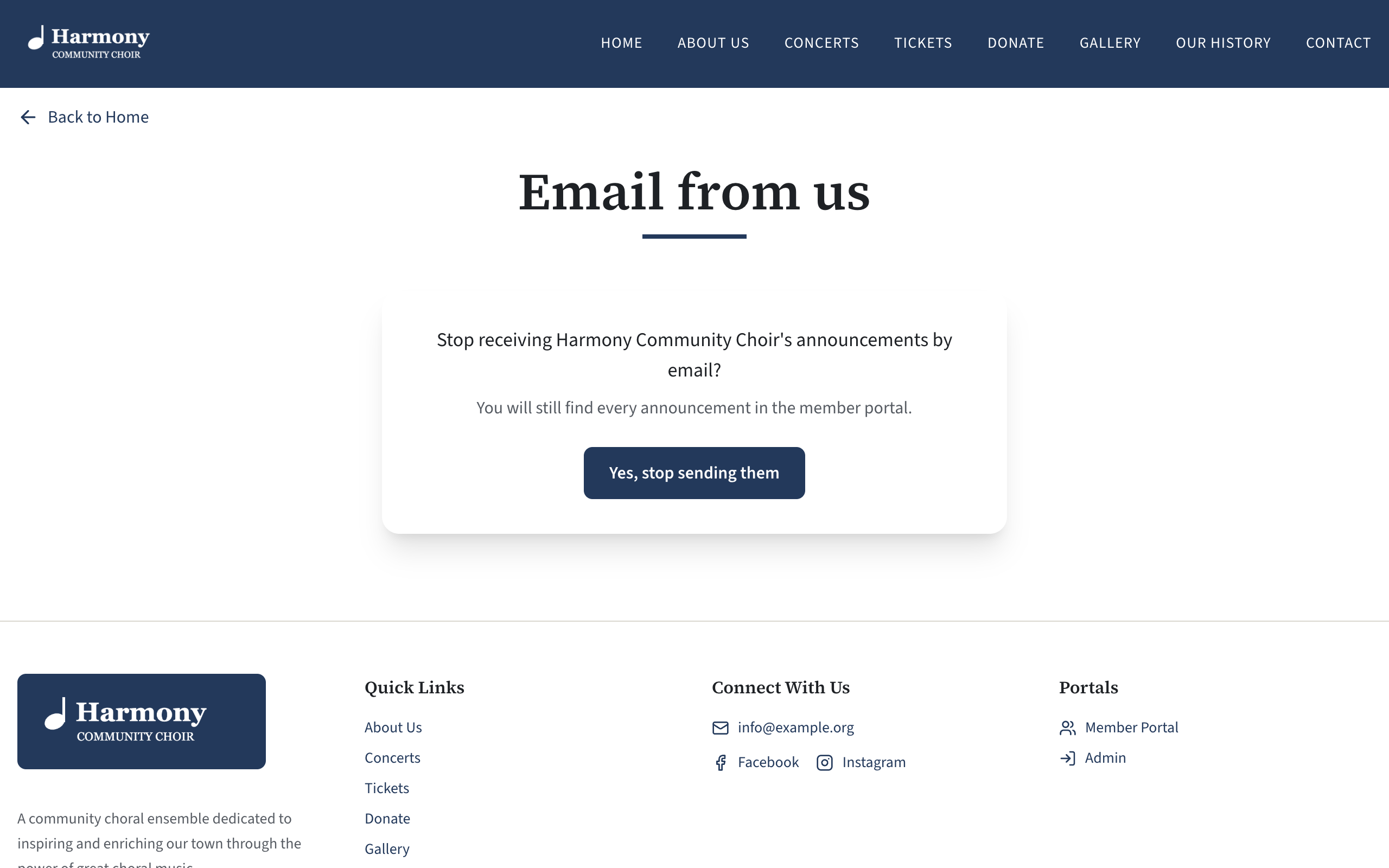
The link opens a page on your site headed Email from us. Nothing happens just by opening it. The page asks a question, and the person presses Yes, stop sending them.
| For | The question | After pressing the button |
|---|---|---|
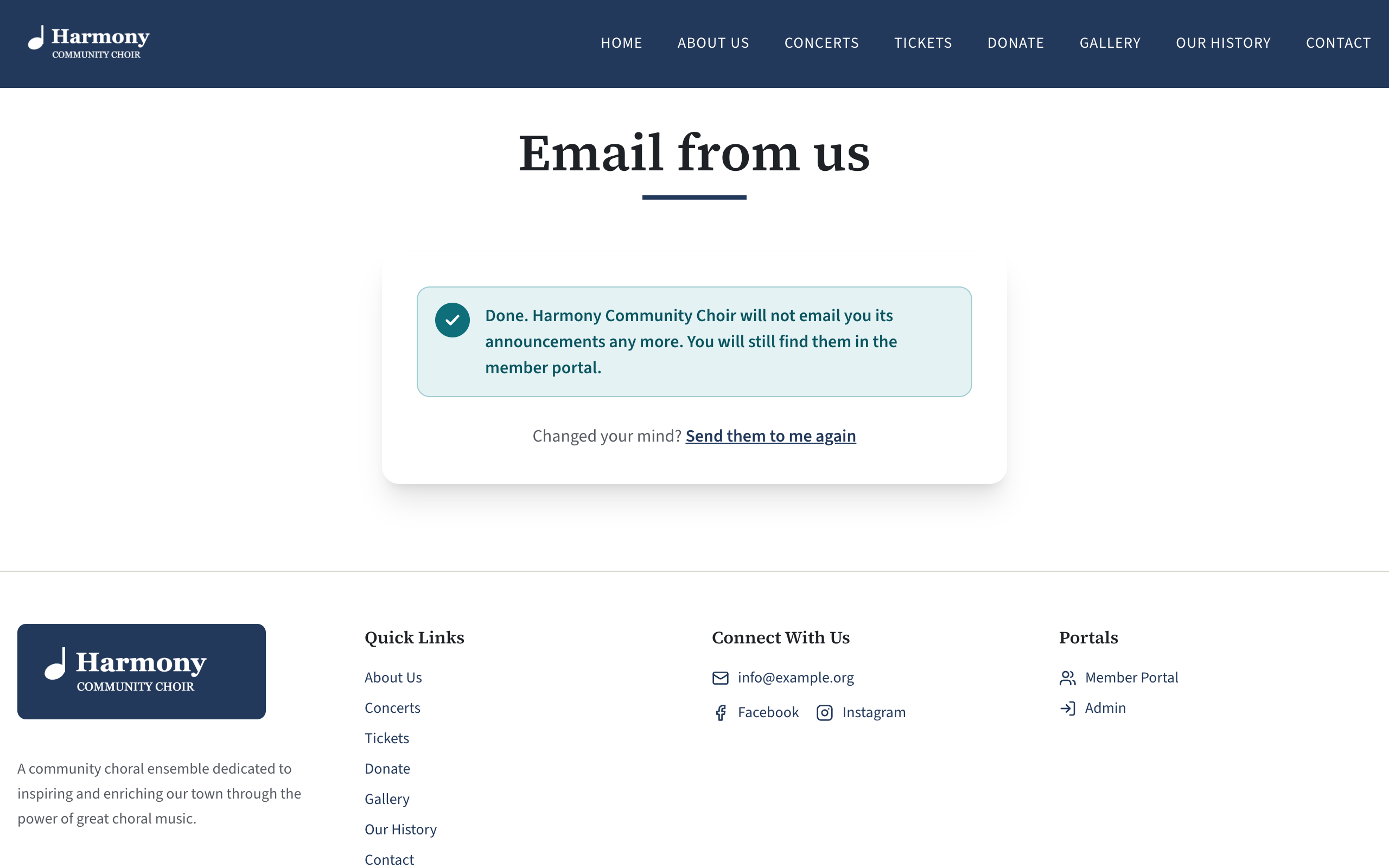
| A member | "Stop receiving Harmony Community Choir's announcements by email?" with the note "You will still find every announcement in the member portal." | "Done. Harmony Community Choir will not email you its announcements any more. You will still find them in the member portal." |
| A ticket buyer | "Stop receiving news from Harmony Community Choir about its concerts?" with the note "You will still be sent your tickets, and anything you need to know about a concert you hold tickets for." | "Done. Harmony Community Choir will not send you its news any more. You will still be sent your tickets, and anything you need to know about a concert you hold tickets for." |
| A donor | "Stop receiving messages about supporting Harmony Community Choir?" | "Done. Harmony Community Choir will not send you these messages any more." |
Your own choir's name is used in place of the sample name.
Members and ticket buyers then see "Changed your mind?" with a link, Send them to me again, which turns the emails back on. Donors have no such link: a donor who changes their mind asks you.
The page needs no login, and it works on every plan and whatever features are switched off, so that someone can always stop the emails.
Many mail services open every link in an email to check it for danger. If opening the link were enough, people would be opted out without knowing. The same is why a login link needs a press of Log in.
A member's tick box in the portal
On the Home page of the member portal, a card headed Email preferences has one tick box: Email me the choir's announcements. It is the same choice as the link, and a member can change it either way at any time. See Announcement emails: a member's choice.
A buyer's tick box on their tickets page
The page a buyer's tickets are on has a tick box: Send me news about future concerts from your choir. It is ticked unless they have opted out, and they can change it either way. See What buying a ticket looks like.
"Do not send appeals" on a donor
A donor who uses the link is marked Do not send appeals in Donors. You can tick the same box yourself when a donor asks you by phone or letter, and untick it if they ask to hear from you again. See Add and look after donors.
What you can and cannot change
| Whose choice | Can an admin change it? |
|---|---|
| A member's announcement emails | No. Only the member can, with the link or the tick box in the portal. |
| A ticket buyer's news | No. Only the buyer can, with the link or the tick box on their tickets page. |
| A donor's appeals | Yes: Do not send appeals on the donor. Only untick it when the donor has asked you to. |
If a member tells you they want the emails back and cannot find how, point them to Email preferences on the portal's Home page.
Opt-outs go by email address
A member's or a ticket buyer's choice is kept against their email address, not against their record.
- If you change a member's email address, the new address has not opted out and is emailed again. The old address stays opted out.
- If you delete a member and add them again later with the same address, their choice still stands.
- A member who has stopped announcements has not stopped ticket news, or the other way round. Each kind is separate.
- Capital letters in the address make no difference.
The email your choir receives
When someone stops one of these kinds of email, or starts it again, your choir is sent a short email saying so. It goes to the address contact form messages go to: normally the Public email address in Site Settings, Contact.
| Subject | Your choir's name, then "someone has stopped announcements to members" (or "news to ticket buyers", or "appeals to donors"). When they start again: "someone has asked for announcements to members again". |
| Body | The person's name and address, what they asked, and "There is nothing you need to do: they are already left out." |
Nothing needs doing. The site has already acted on it. The email is so that you know, and so that you do not wonder why a number has changed. Do not write to the person to ask why.
You are told once per real change. Pressing the button twice, or using a link that is not genuine, sends nothing.
The email is not sent if your site has no public email address, or cannot send email.
Check a member's choice
- In the admin panel, open Members.
- Press the member's name.
- Read Announcements by email: Yes, or No: this member has turned them off.
The Email to members panel under an announcement also says how many active members have turned the emails off and are left out. See Email an announcement to your members.
If something goes wrong
If the page cannot save the choice, the person sees "That did not work." and "Please try again, or reply to the email and ask us." If someone writes to you saying so:
- A member: ask them to untick Email me the choir's announcements on the portal's Home page instead.
- A donor: tick Do not send appeals on their record yourself.
- A ticket buyer: ask them to untick the box on their tickets page, using the link in the email their tickets came in.