How members log in
This page is written for members of a choir. If you run the site, send your singers the link, or copy the steps into an email.
You log in to the member portal with a link the site emails to you. There is no password to choose or remember.
Log in
-
Go to your choir's website and scroll to the foot of the page. Press the member portal link there. Your choir may have given it a name of its own.
-
Type your email address in the Email address box. Use the address the choir has for you: the one its emails to you arrive at.
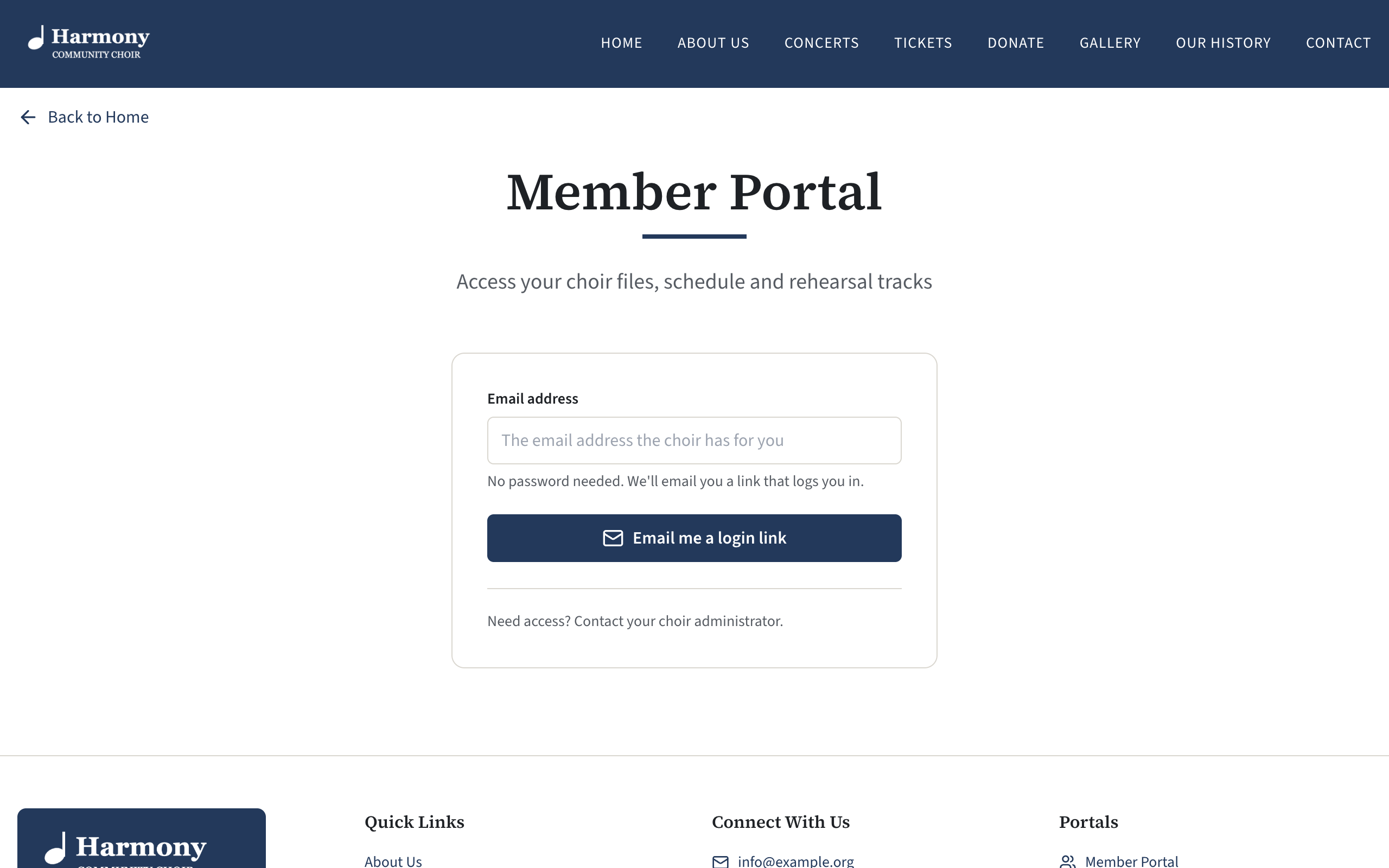
The member portal login page, with the Email address box and the button Email me a login link -
Press Email me a login link. The page says Check your email.
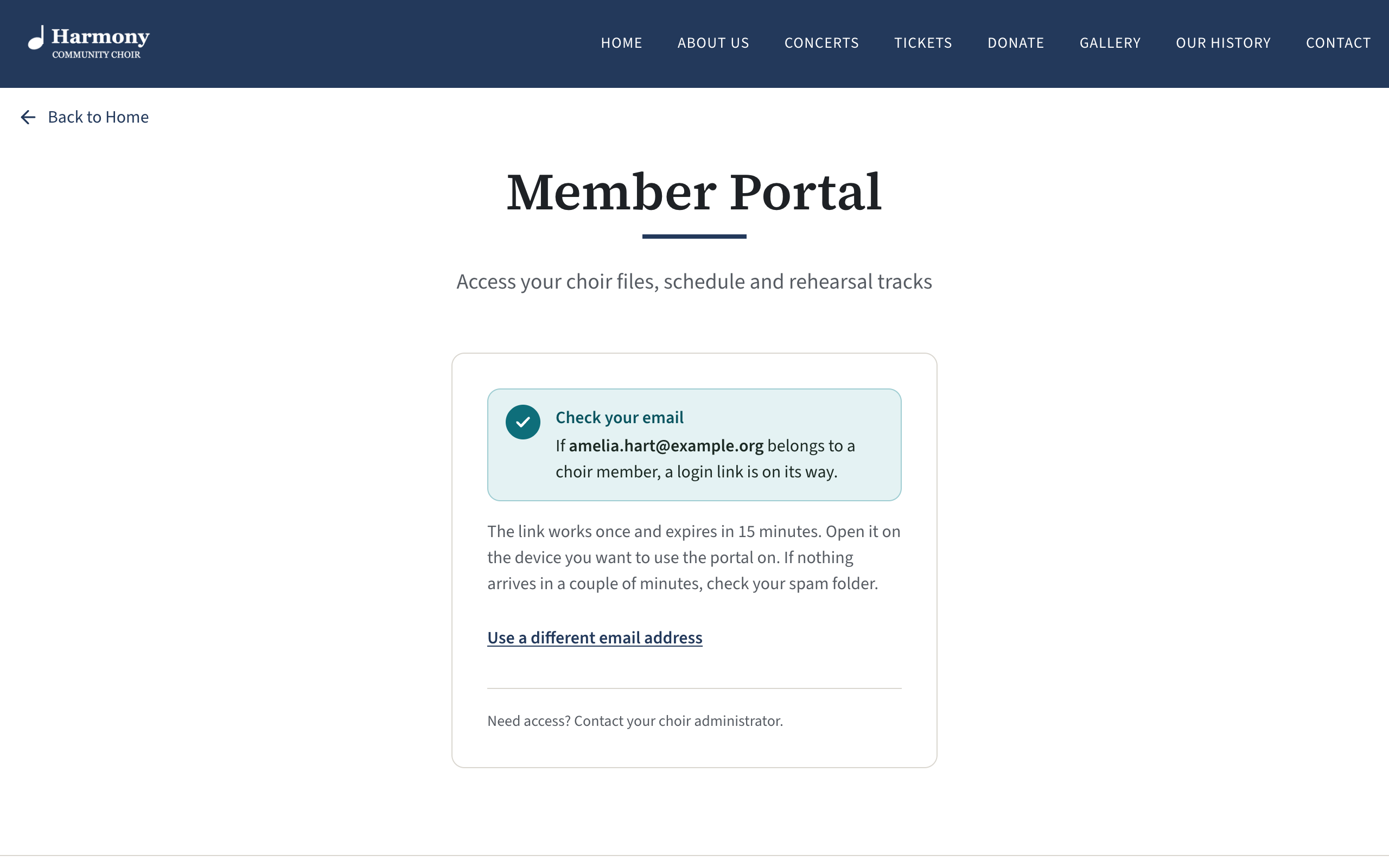
The login page after asking for a link, headed Check your email and saying the link works once and expires in 15 minutes -
Open your email on the device you want to use the portal on. Look for a message from your choir with the subject "Your" and the choir's name, then "login link".
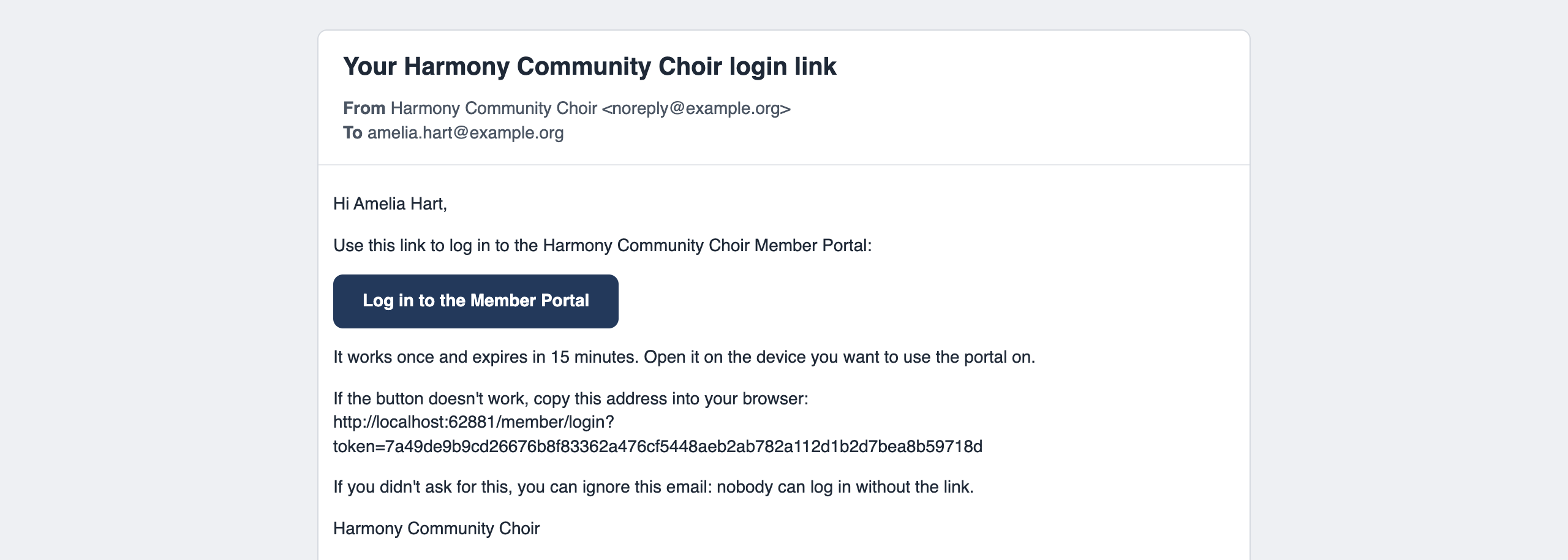
The login link email as it arrives, with a greeting, a button to log in to the member portal and a line saying it works once and expires in 15 minutes -
Press the button in the email. A page opens saying "You're almost in."
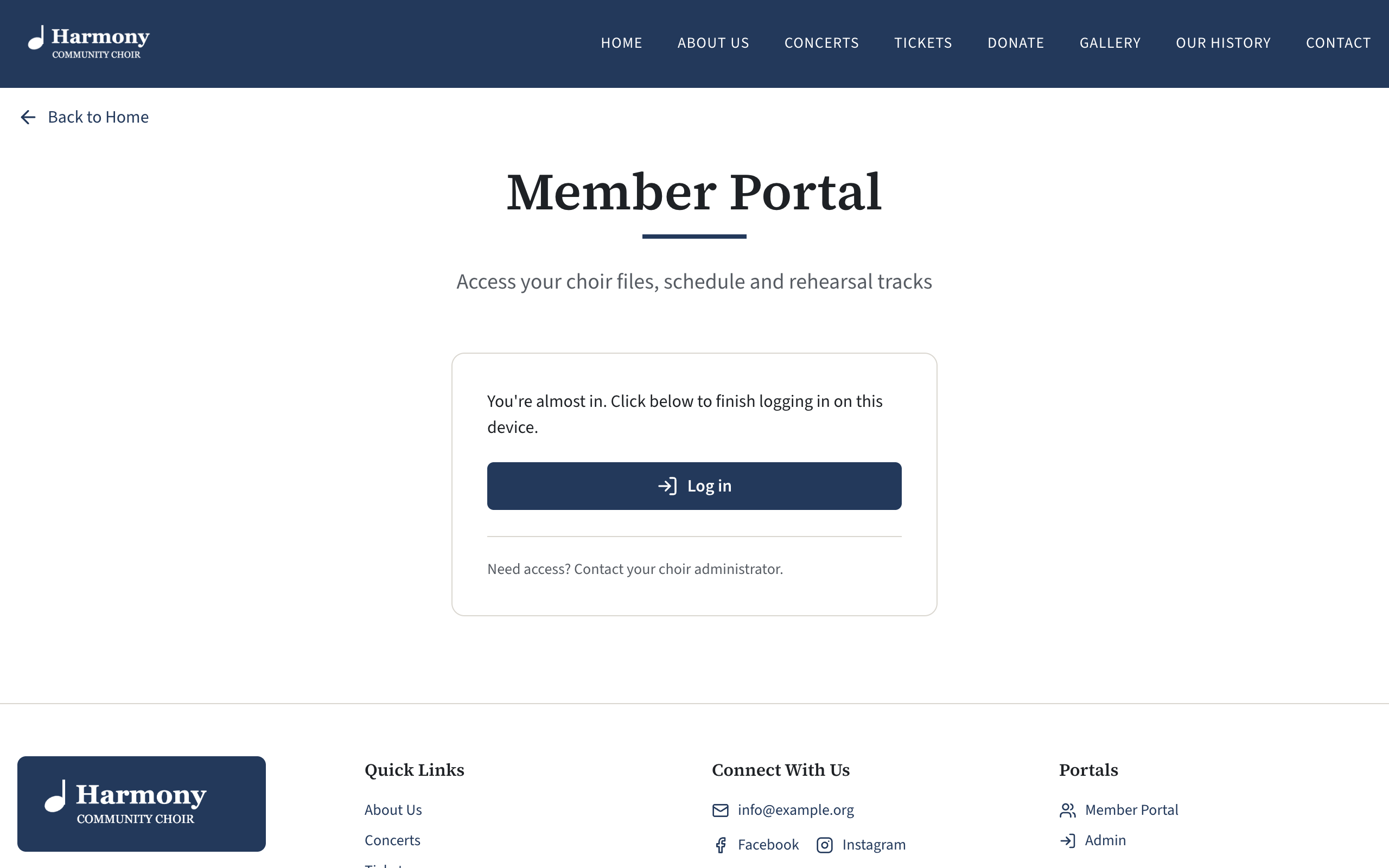
The page that opens from the login link, saying You're almost in, with the Log in button -
Press Log in. You are in.
Good to know
- The link works once, and for 15 minutes. If it has run out, or you have already used it, go back to the login page and ask for another.
- Open the link on the device you want to use. The link logs in the phone or computer it is opened on. If you read your email on your phone but want the portal on your laptop, open the email on the laptop.
- You stay logged in on that device for 30 days. After that, ask for a new link in the same way. Your choir may have set a different length of time.
- Nothing in your inbox? Wait a couple of minutes, then look in your spam or junk folder. Check you typed the address the choir has for you. If you have more than one address, try the other.
- The page says the same thing whatever address you type. It never says whether an address belongs to a member, so that nobody can use it to find out who is in the choir. If no email comes, the address you typed is probably not the one the choir has: ask them.
- Asked several times? Wait a minute between requests. After five in an hour, no more are sent for a while.
- Didn't ask for a link? Ignore the email. Nobody can log in without the link in it.
If you still cannot get in, tell whoever looks after your choir's membership which email address you are using.
For admins
The heading of the login page, the line under it, and the help line at the foot of the login box are yours to word: see Set up the member portal. The help line is a good place for the name of the person to ask.
On your own server, the 30 days is the MEMBER_SESSION_DAYS setting: see Sessions and how long people stay logged in.
When a member tells you they cannot log in, see A member cannot log in.