Let members see who else is in the choir
You can give the member portal a Members page that lists everyone in the choir, so singers can put names to faces and get in touch with each other. It is off unless you switch it on, and you choose exactly which details it shows.
Phone numbers, email addresses and home addresses are personal. Before you switch on anything beyond names and sections, tell your members what will be shown and to whom, and give them a chance to say no. Privacy law in your country may require this. The switches apply to everyone: there is no way to leave one member's details out, other than removing them from that member's record.
Switch the member list on
- Open Site Settings and choose the Member portal section.
- Tick Members can see the list of members.
- Tick each detail you want members to see (below).
- Press Save.
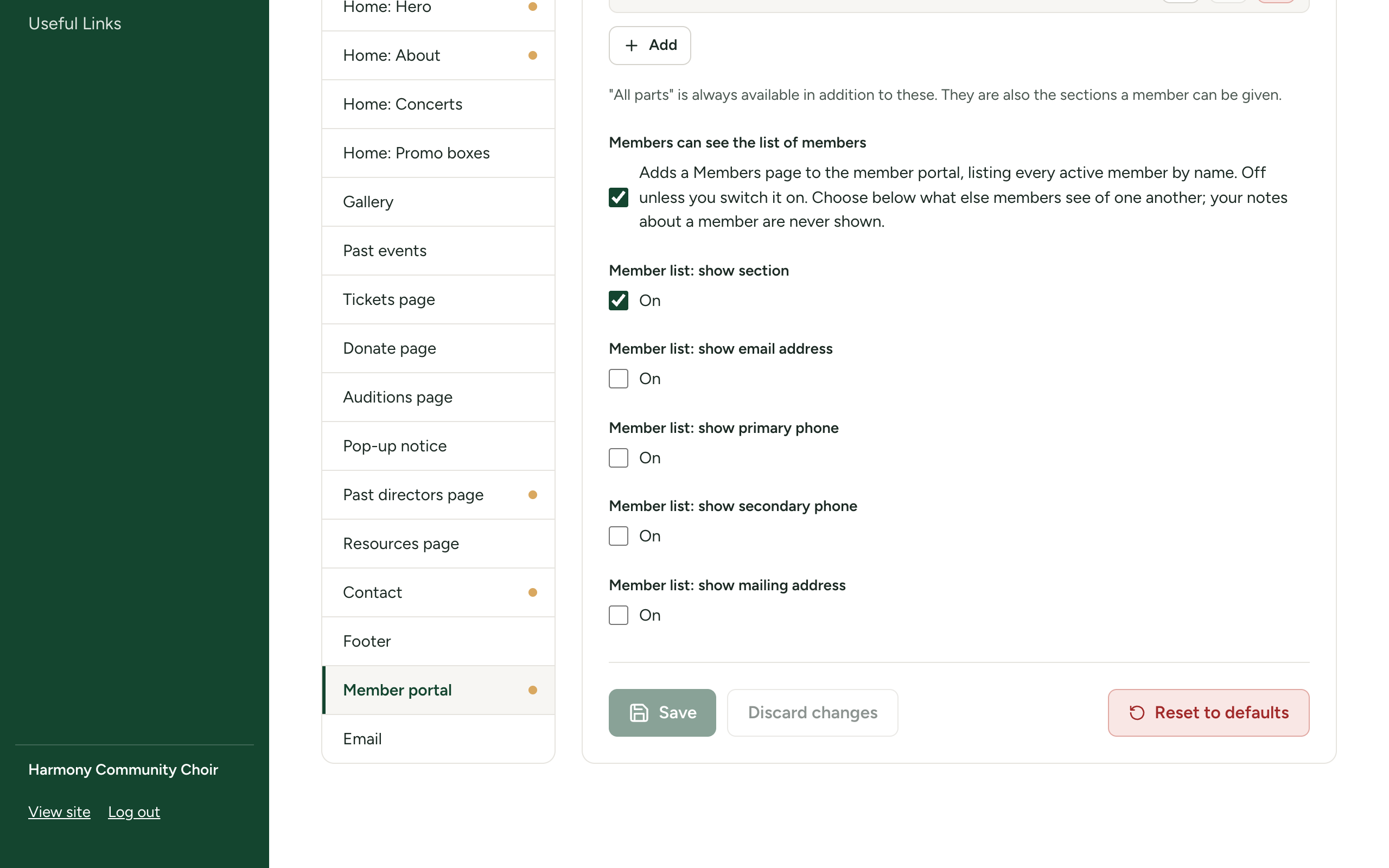
| Switch | What members see | Starts as |
|---|---|---|
| Members can see the list of members | Adds the Members page to the portal, listing every active member by name. | Off |
| Member list: show section | Each member's section, as a tag beside their name, and a box to show one section at a time. | On |
| Member list: show email address | Each member's email address, as a link that starts an email. | Off |
| Member list: show primary phone | Each member's primary phone, as a link that dials on a phone. | Off |
| Member list: show secondary phone | Each member's secondary phone. | Off |
| Member list: show mailing address | Each member's mailing address. | Off |
The five Member list: show ... switches do nothing while the first switch is off.
What members see
A Members entry appears in the portal's menu. The page lists members in alphabetical order by name, with whichever details you chose.
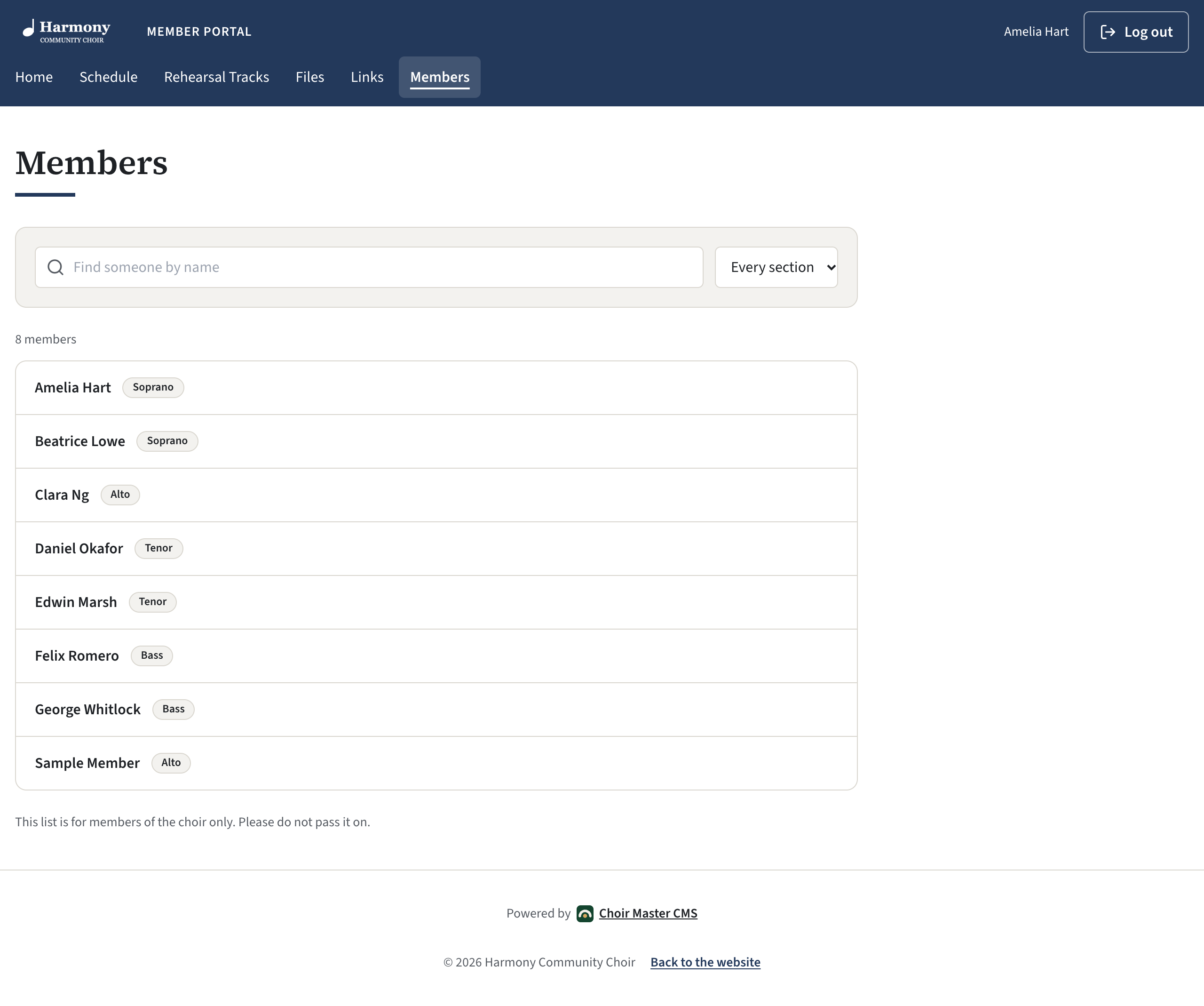
- A box at the top finds someone by name.
- If sections are shown and there is more than one, a second box narrows the list to one section.
- A line at the foot reads "This list is for members of the choir only. Please do not pass it on."
Members can read the list. They cannot change it, and they cannot download it.
Who is listed
- Active members only. A member you set to Disabled leaves the list at once.
- Someone with no name on file is listed by their email address if you share email addresses. If you do not, they are not listed at all. Give every member a name to be sure they appear.
- Admins are not on the list unless they are also members.
What is never shown
- Your notes about a member. They are for admins only, whatever the switches say.
- Status, last login and the date they joined.
- Any detail whose switch is off. Those details are not sent to members' browsers at all.
Switch it off again
Untick Members can see the list of members and press Save. The Members entry leaves the portal's menu and the page stops working. Your other switches are kept for next time.