Email your donors
Use this to thank your donors, report on a campaign or ask for support again. The message goes to the people in your donor records who have an email address and have not asked to be left alone. Any admin can send one.
Members are emailed differently; see Email an announcement to your members.
Send a message
- In the admin panel, open Donors, then the Mail tab.
- Press Write a message to your donors. A panel called A message to your donors opens.
- If you want to write to only some donors, choose from the two lists (below).
- Read the line under them, for example "This will go to 37 people." The count changes as you choose.
- Type the Subject.
- Write the Message in the editor. See Format text with the editor.
- Under Send yourself a test first, type your own address and press Send test. Read it in your inbox. The subject starts with "[Test]" and the stop link in a test does nothing.
- Press Send to 37. A box asks, for example,
Send "Thank you for 2025" to 37 people?and says "This cannot be undone." Press Send to 37.
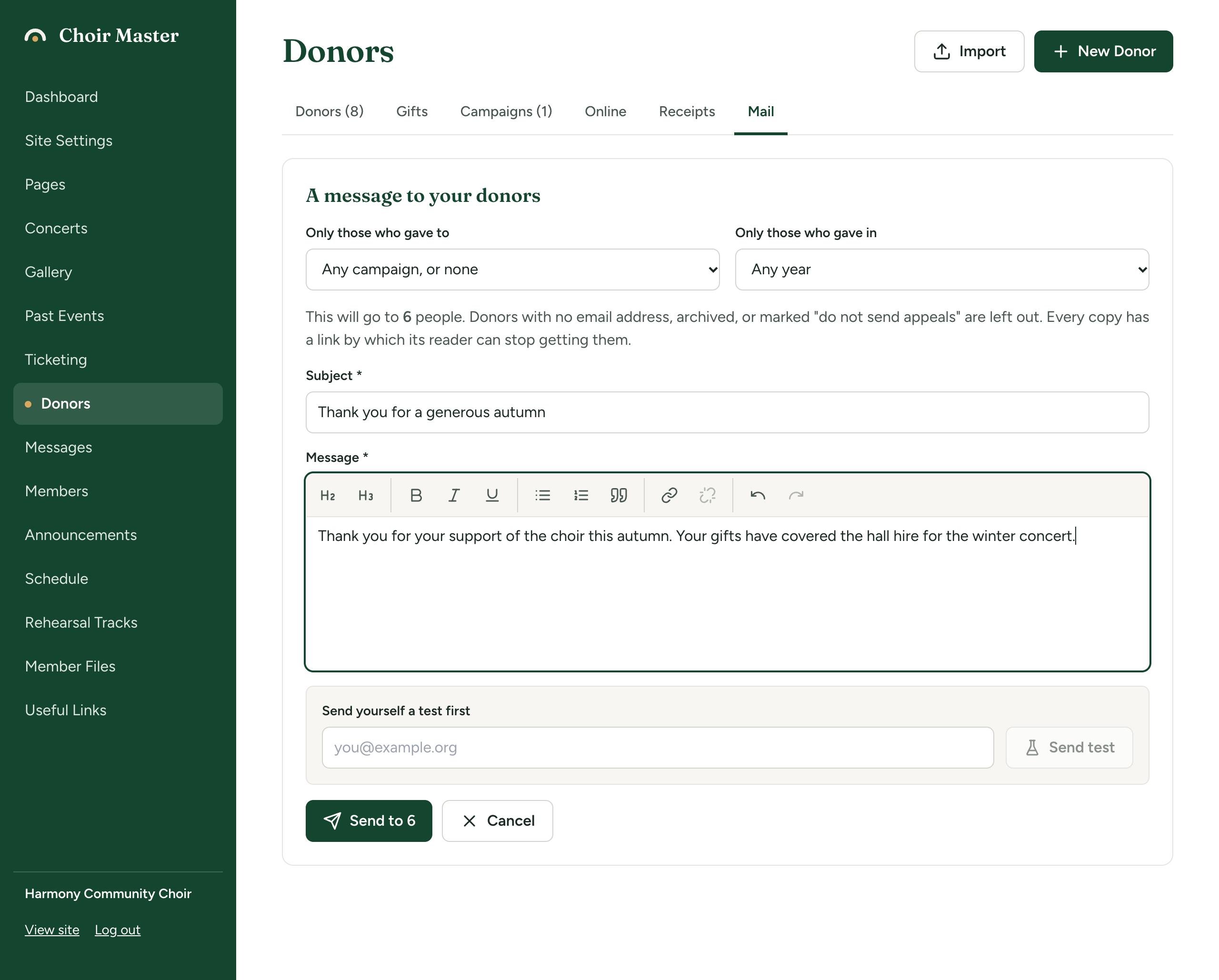
Choose who gets it
| List | What it does |
|---|---|
| Only those who gave to | A campaign, or Any campaign, or none. Donors who have given at least one gift to that campaign. Archived campaigns are in the list too. |
| Only those who gave in | A year, or Any year. Donors who have given at least one gift dated in that year. |
Used together, a donor must have a gift to the campaign and a gift in the year; they need not be the same gift.
Who is left out
Whatever you choose, a donor is never sent the message if they:
- have no email address on file,
- are Archived, or
- are marked Do not send appeals.
Each donor is sent one copy. There is no way to include them. To start writing to someone again, untick Do not send appeals on their record. See Add and look after donors.
What each copy looks like
Your message appears as you wrote it. Below it, after a line, every copy has a footer with:
- your choir's name, contact email and address,
- "You are receiving this because you have supported Harmony Community Choir.", and
- a link, Stop receiving these messages, that is the reader's own. In the plain-text version it reads "To stop receiving these messages:" followed by the address.
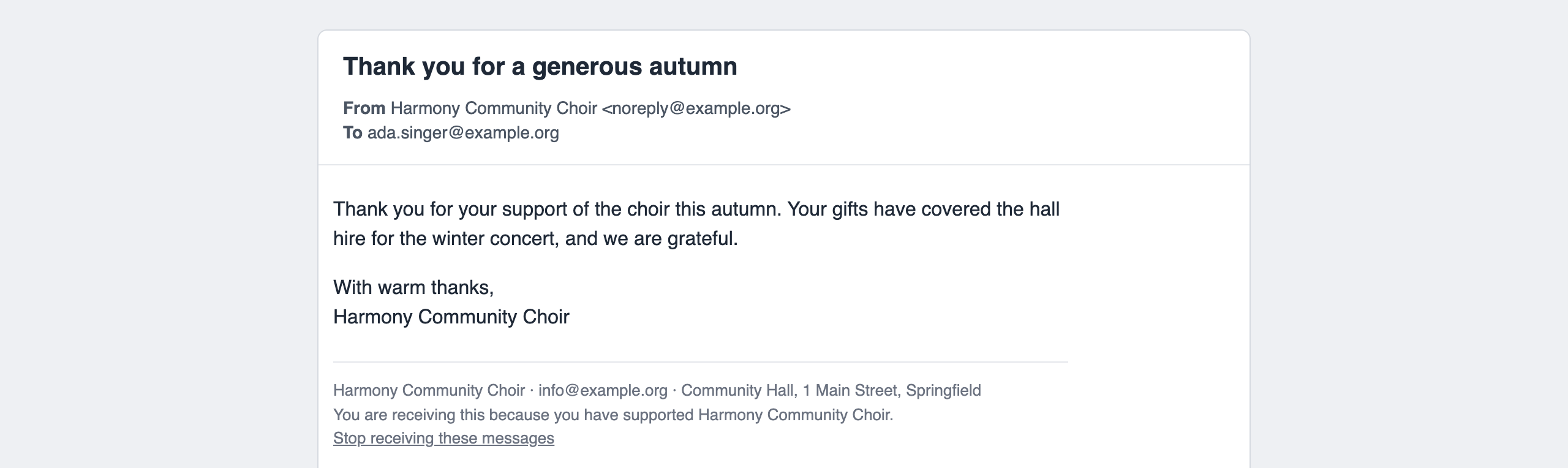
When someone follows the link, they are marked Do not send appeals and are not written to again. You get one email at your contact address to say so. They cannot turn it back on from the link; you can, on their record. How people stop your emails is covered in How people stop your emails.
The link is added when your site knows its own web address. A message sent from a test copy has a link that does nothing.
Follow a message
Messages you have sent are listed under the button, newest first (the last 50). Each shows the subject and the date, then:
- Sent to 37 when it is finished.
- Sending: 30 of 80 while it is going out.
- Stopped after 12 of 80 if you stopped it.
If some addresses did not work, a red line says, for example, "2 could not be delivered: bob@example.org, ...".
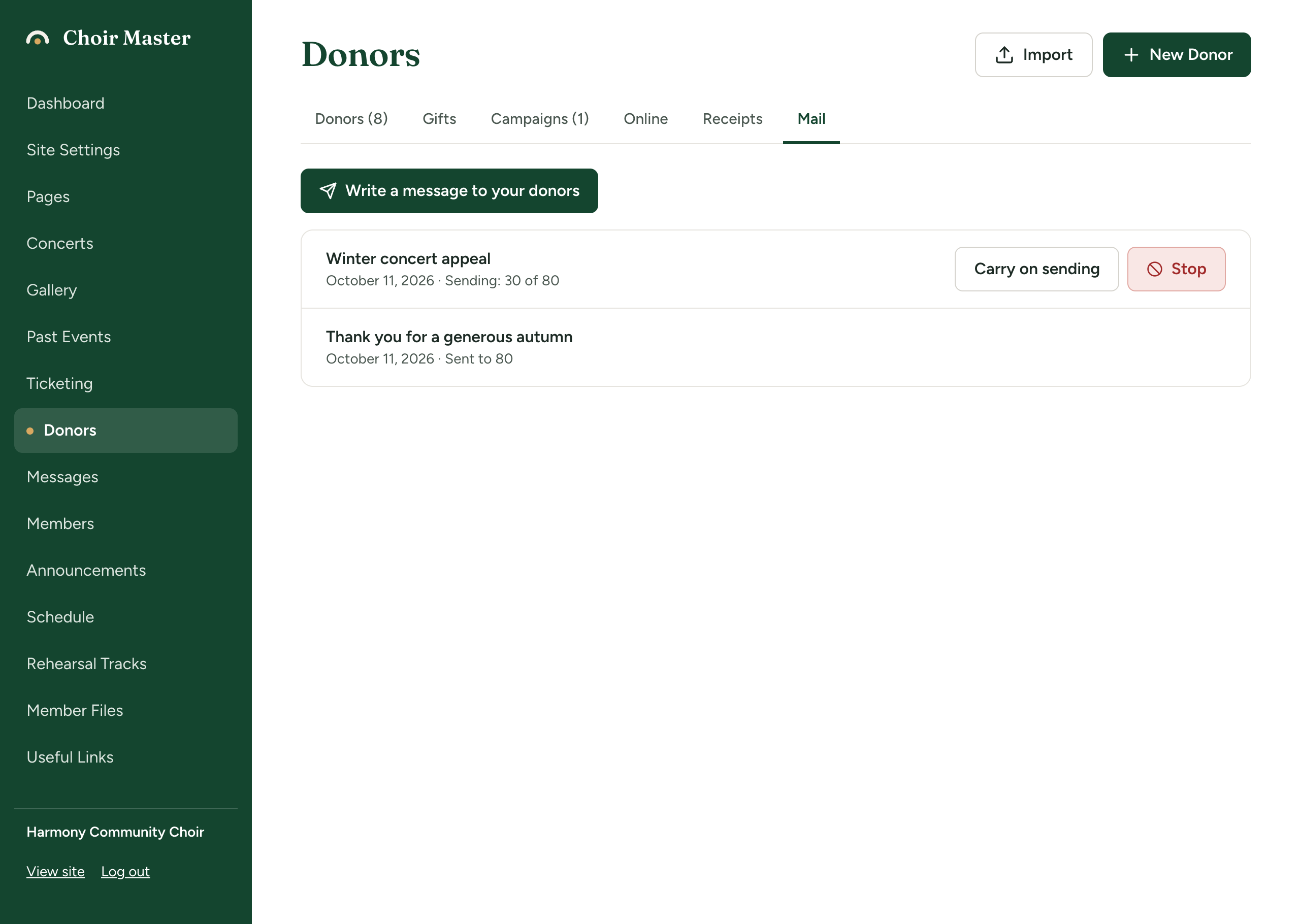
Stop a message
- Press Stop beside the message.
- A box asks
Stop sending "Thank you for 2025"?and says "Those already sent it have it." Press Stop sending, or Carry on to leave it sending.
Stopping cannot recall copies already sent, and a stopped message cannot be started again.
When email is not set up
If your site cannot send email, the tab says "Email is not set up on this site's server, so messages cannot be sent from here." and the button cannot be pressed.
If something goes wrong
| Message | What to do |
|---|---|
| "There is nobody to send this to" | The filters leave no one. Choose Any campaign, or none and Any year, or check your donors have email addresses. |
| "The message needs a subject" / "The message needs some text" | Fill in both. |
| "Enter a valid email address for the test" | Type your address in full. |
| "The test email could not be sent" | Your site could not send email just then. Try again shortly. |
| "Emailing these people is not part of this site's plan." | Your plan does not include donor records and email. See What each plan includes. |
| "Sending stopped. Open this page again to carry on." | A batch failed. Open the Mail tab again and press Carry on sending. |
| "That message is not being sent" | It had already finished or been stopped. |