Donors: how it works
Donor records are where your choir keeps track of the people and organisations who give to it, and what they have given. Read this page first to see what is there and to check that it is switched on.
What donor records are for
- Donors: each person or organisation, with their contact details and address.
- Gifts: every gift, with its date, amount, how it was given and what it was for.
- Campaigns: something gifts are given to, such as a tour fund, with a goal and how far along it is.
- Receipts: numbered receipts for gifts, either official receipts for income tax or plain thank-you receipts.
- Mailings: a message emailed to your donors, or to some of them.
Only admins see any of this. Nothing in donor records appears on your public site or in the member portal, and members cannot see it.
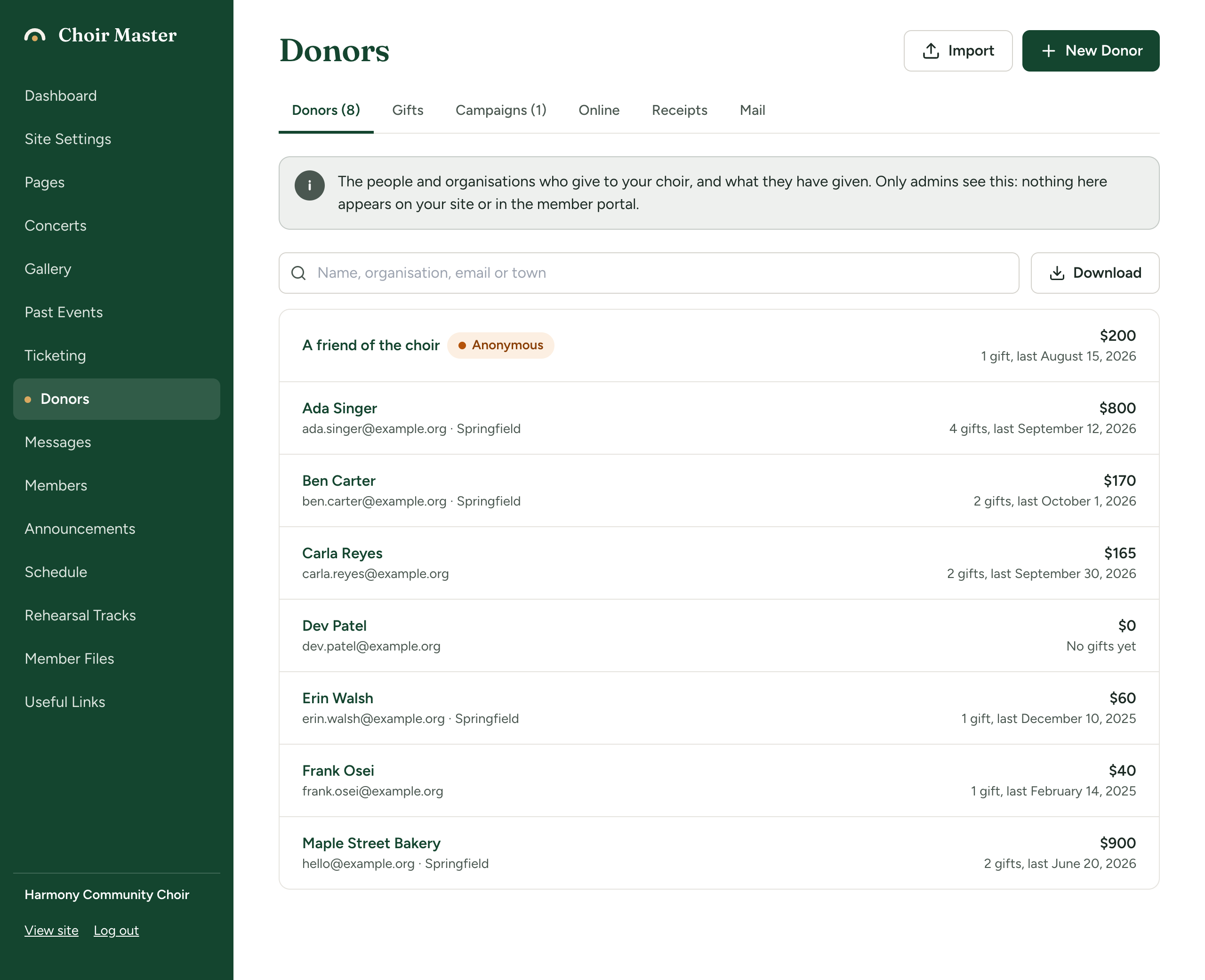
The six tabs
In the admin panel, open Donors. Two buttons at the top of the page, Import and New Donor, are there whichever tab you are on.
| Tab | What it holds | Read more |
|---|---|---|
| Donors | The list of donors, with a search box and a Download button. Press a donor to open their page. | Add and look after donors |
| Gifts | Every gift, with totals for recent years. | Record a gift, See a year's giving and download your records |
| Campaigns | Your campaigns and how much each has raised. | Run a campaign |
| Online | Gifts given by card on your Donate page. | Online gifts and refunds |
| Receipts | Receipts you have issued, and what your receipts say. | Set up what your receipts say, Issue receipts |
| Messages to your donors. | Email your donors |
The numbers on the Donors and Campaigns tabs leave out those you have archived.
What has to be switched on
Donors is in the admin panel while Keep donor records on this site is on in Site Settings → Features. It is on when a site is new. See Switch pages and features on or off.
Any admin can use Donors, including a Manager. One part needs a Site Admin or an Admin: saving what your receipts say. See The three kinds of admin.
Donor records and your Donate page are separate
Your Donate page is a public page that tells visitors how to support you. It has its own switch, Donate page, in Features, and it works without donor records. See Your Donate page.
The two meet in one place: gifts given by card on the Donate page are added to donor records by themselves.
| A site we host | A self-hosted site | |
|---|---|---|
| Donate page with a button to your own donation service | Yes, on every plan | Yes |
| Donor records in the admin panel | Premium plan | Yes |
| Gifts by card on the Donate page | Premium plan, with a Stripe account connected | No |
See Take gifts by card on your Donate page.
Why your time zone matters at year end
Gifts and receipts are dated by the day it is where your choir is, not by the clock of the computer your site runs on. This matters most on the evening of 31 December: a gift given online that evening is a gift of that year, as it should be for receipts.
The dates that follow your time zone are: the date of a gift given online, the date suggested when you record a gift, the note of a refund, and the date a receipt is issued or cancelled.
Check Site Settings → Choir → Time zone. A new site is set to Eastern (Toronto). See Your choir's name, place, currency and time zone.
Amounts are in your site's currency, set in the same place.
Why something cannot be deleted
Donor records are your choir's record of its income, so some things are kept on purpose.
| You want to delete | When it is refused | Do this instead |
|---|---|---|
| A donor | They have any gift on record. | Archive the donor. |
| A campaign | Any gift has been given to it. | Archive the campaign. |
| A gift | It has a receipt. It cannot be changed either. | Cancel the receipt first. |
| A receipt | Always. A receipt is never deleted. | Cancel it. It is kept, marked as cancelled, and its number is not used again. |
If you keep your records somewhere else
Switch Keep donor records on this site off in Site Settings → Features. Donors leaves the admin panel. Your Donate page is not affected.
Nothing is deleted: switch it back on and your records are as you left them.
Pages in this section
Donors and gifts
- Add and look after donors
- Record a gift
- Run a campaign
- Import donors and past gifts
- See a year's giving and download your records
Your Donate page and giving online
Receipts
Writing to donors