Admin sign-in: one password or a login for each admin
There are two ways to log in to the admin panel, chosen with ADMIN_AUTH. In the first, everyone who runs the site shares one username and password that you set on the server. In the second, each admin has an account of their own and is sent a link by email. This page is for whoever runs the server and is deciding between them. The three kinds of admin (Site Admin, Admin, Manager) are explained in The three kinds of admin.
Choose a mode
ADMIN_AUTH=env (default) | ADMIN_AUTH=table | |
|---|---|---|
| Who can log in | Anyone who knows the username and password. | Each admin added on the Admins page, by emailed link. |
| What you set on the server | ADMIN_USERNAME and ADMIN_PASSWORD, both required. | Optional ADMIN_USERNAME and ADMIN_PASSWORD, as a spare key. A working email provider and SITE_URL. |
| Kinds of admin | Everyone is a Site Admin. | Site Admin, Admin or Manager, set per person. |
| The Admins page | Not in the menu. | In the menu. |
| Taking someone's access away | Change the password. People already logged in stay logged in until their session ends. | Disable or delete them: they are logged out on their next request. |
Pick env for a choir with one webmaster. Pick table when several people help, so that each can be added and removed on their own. The value is not case-sensitive and surrounding spaces are ignored; blank means env.
One shared login: env
ADMIN_AUTH=env
ADMIN_USERNAME=webmaster
ADMIN_PASSWORD=a-long-random-password
The login page shows a Username and a Password box.
- Both must be set. If either is empty, nobody can log in. The login page answers
The admin account is not set up on the server (ADMIN_USERNAME and ADMIN_PASSWORD)., and the start-up log saysADMIN_USERNAME and ADMIN_PASSWORD are not set: nobody can log in to the admin panel. - The username ignores capital letters and surrounding spaces.
Webmasterworks forwebmaster. The password must match exactly. - Use at least 12 characters. A shorter password still works but the start-up check says
ADMIN_PASSWORD is short; use at least 12 characters. - Keep it out of repositories. Keep secrets in files and Use a secrets manager show how.
A login for each admin: table
ADMIN_AUTH=table
SITE_URL=https://choir.example.org
EMAIL_PROVIDER=resend
EMAIL_FROM=Harmony Community Choir <noreply@example.org>
RESEND_API_KEY=re_example
The login page then asks for an Email address and has an Email me a login link button. The link works once and expires after 15 minutes. At most one link a minute, and five an hour, are sent for any one address. Whether or not the address belongs to an admin, the page says that if it does, a link is on its way, so nobody can use it to find out who the admins are.
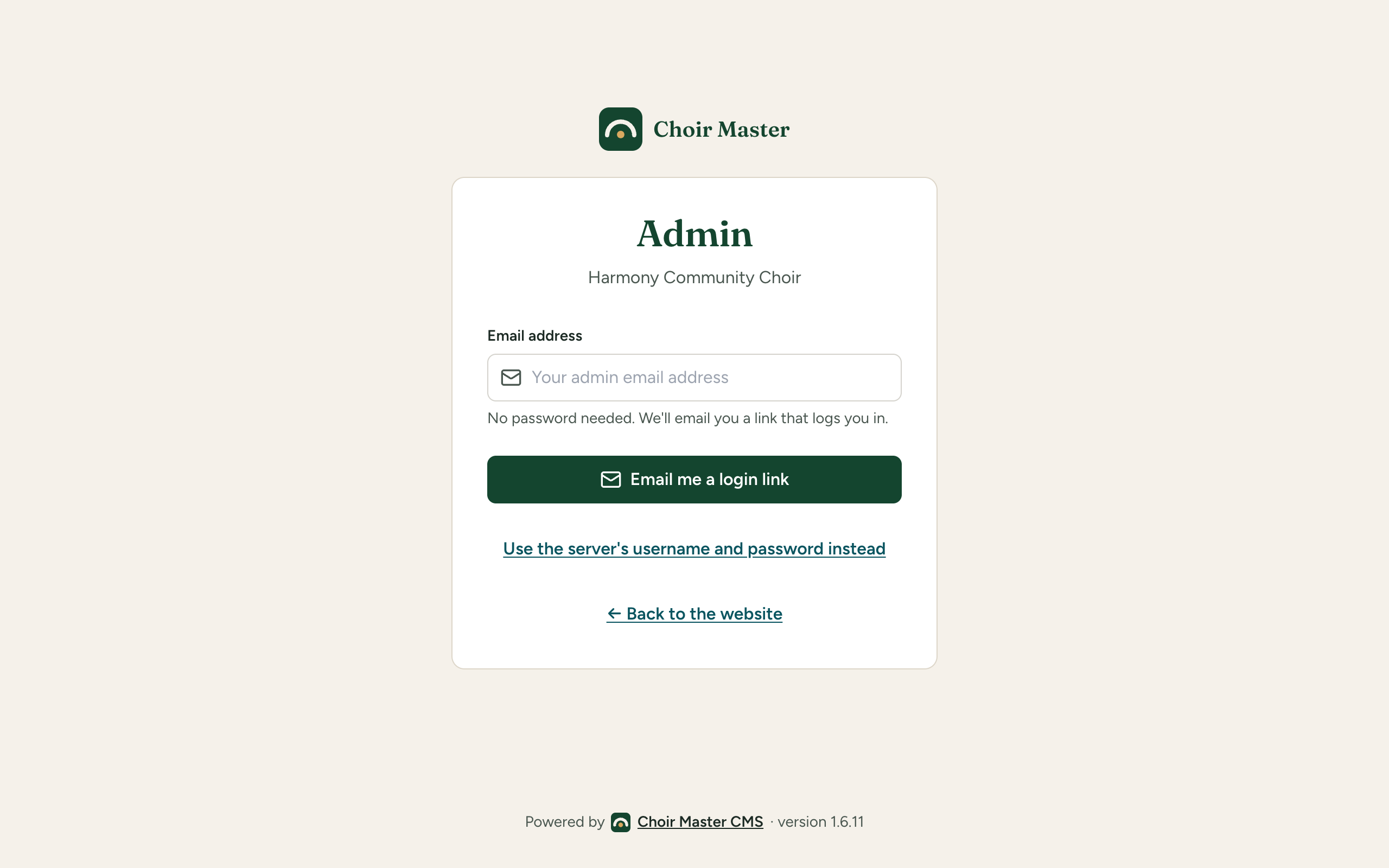
What this needs:
- Email that works. The link is an email. Set
EMAIL_PROVIDERto a real provider (see Email). Withnone, and in production withlog, the start-up check saysADMIN_AUTH=table sends admins a login link by email, and EMAIL_PROVIDER is "…": only ADMIN_USERNAME and ADMIN_PASSWORD will get anyone in. SITE_URL. The link is built from it, never from the address the request came to.- At least one admin. See Add the first admin. Further admins are added on the Admins page: Add, change or remove an admin.
Disabling or deleting an admin ends their session on their next request. When no ADMIN_USERNAME and ADMIN_PASSWORD are set on the server, the panel will not disable or delete the last active admin (This is the only active admin. Add another admin first, or nobody could log in.), and will not remove the last Site Admin (This is the only Site Admin. Make someone else a Site Admin first, or nobody could manage the admins.). With the spare key set, neither protection applies, because the key is a way back in.
The spare key
If ADMIN_USERNAME and ADMIN_PASSWORD are also set in table mode, they keep working. The login page shows Use the server's username and password instead under the email form, and Email me a login link instead to go back. A person who logs in this way is a Site Admin, whatever the Admins list says.
This is for the day email is down or the last admin has gone, so it is worth keeping, with a strong password and somewhere safe to write it down. If you leave them unset, the emailed link is the only way in. That is a legitimate choice, and then npm run config:check reports:
ADMIN_USERNAME and ADMIN_PASSWORD are not set: with ADMIN_AUTH=table there is then no way in if the admins table is empty or email is down
It is a warning, not an error. The link to use the server's username and password is still shown when none is set; using it fails with The admin account is not set up on the server (ADMIN_USERNAME and ADMIN_PASSWORD).
Switching
From env to table
- Set
ADMIN_AUTH=table, and check email andSITE_URLas above. Keep the username and password. - On Cloudflare, apply the schema to D1 again first (
npx wrangler d1 execute choir-db --remote --file=./server/db/schema/sqlite.sql). It only adds what is missing; theadminsandadmin_login_linkstables are new in this mode. On Node they are created at the next start unless you turnedDB_AUTO_MIGRATEoff, in which case runnpm run db:migrate. - Restart or deploy.
- Log in with the server's username and password, and add yourself and the others on the Admins page.
Anyone logged in by password stays logged in.
From table back to env
Everyone who logged in by emailed link is logged out. People who logged in with the username and password stay logged in. The accounts stay in the table, unused, and are there if you switch back.
If something goes wrong
| What you see | Cause and fix |
|---|---|
ADMIN_AUTH is "…": use env or table. Nobody can log in to the admin panel until it is one of them | A misspelt value. Until it is fixed nobody can log in, not even with the password. |
| The login page asks for an email address and you wanted a password | ADMIN_AUTH=table. Choose Use the server's username and password instead, or set env. |
If … belongs to an admin, a login link is on its way, but nothing comes | The address is not on the Admins list, the admin is disabled, or email is failing. Check the server log. Use the spare key to get in and look at the list. |
| Nobody can log in at all | Email is down and no username and password are set, or the last admin is disabled. Get back in. |
| The Admins page is missing | It appears only with ADMIN_AUTH=table, and only to a Site Admin or an Admin. |