Check your configuration
The configuration check prints the settings the server would run with and lists anything wrong with them. Run it after changing a setting and before starting the site for real. This page is for whoever runs the server.
Run the check
With the settings already in the environment (inside a container, under a platform service):
npm run config:check
With the settings in a file:
node --env-file=.env scripts/check-config.js
In Docker Compose:
docker compose exec app npm run config:check
The check loads secrets the way the server does, including NAME_FILE settings and a secrets manager, so it needs the same access. It does not open the database, the file store or the mail service.
What it prints
First the configuration in effect, as JSON. Passwords and keys are shown as up to eight asterisks and the word (set), never the value:
{
  "nodeEnv": "production",
  "siteUrl": "https://choir.example.org",
  "port": 3001,
  "admin": {
    "auth": "env",
    "username": "admin",
    "password": "******** (set)"
  },
  "db": {
    "provider": "sqlite",
    "url": "(not set)",
    "sqlitePath": "./data/choir.sqlite"
  },
  "storage": {
    "provider": "local",
    "publicFilesUrl": "(served by the app at /files)",
    "localDir": "./data/storage",
    "s3": {
      "endpoint": "(AWS)",
      "publicBucket": "",
      "privateBucket": "",
      "accessKeyId": "(not set)"
    }
  },
  "sessions": "database",
  "email": {
    "provider": "resend",
    "from": "Harmony Community Choir <noreply@example.org>",
    "replyTo": "(none)",
    "contactTo": "(the public contact email)"
  },
  "announcementEmail": "(the same as email)",
  "updates": {
    "mode": "notify",
    "licenseKey": "******** (set)",
    "url": "https://updates.choirmastercms.com",
    "channel": "stable"
  },
  "assistant": {
    "apiKey": "(not set)",
    "model": "claude-haiku-4-5",
    "dailyLimit": 30
  },
  "captcha": {
    "provider": "turnstile",
    "siteKey": "0x4AAAAAAAexample",
    "secretKey": "****** (set)"
  },
  "secrets": "env"
}
Then one of two endings. When nothing is wrong:
No configuration problems found.
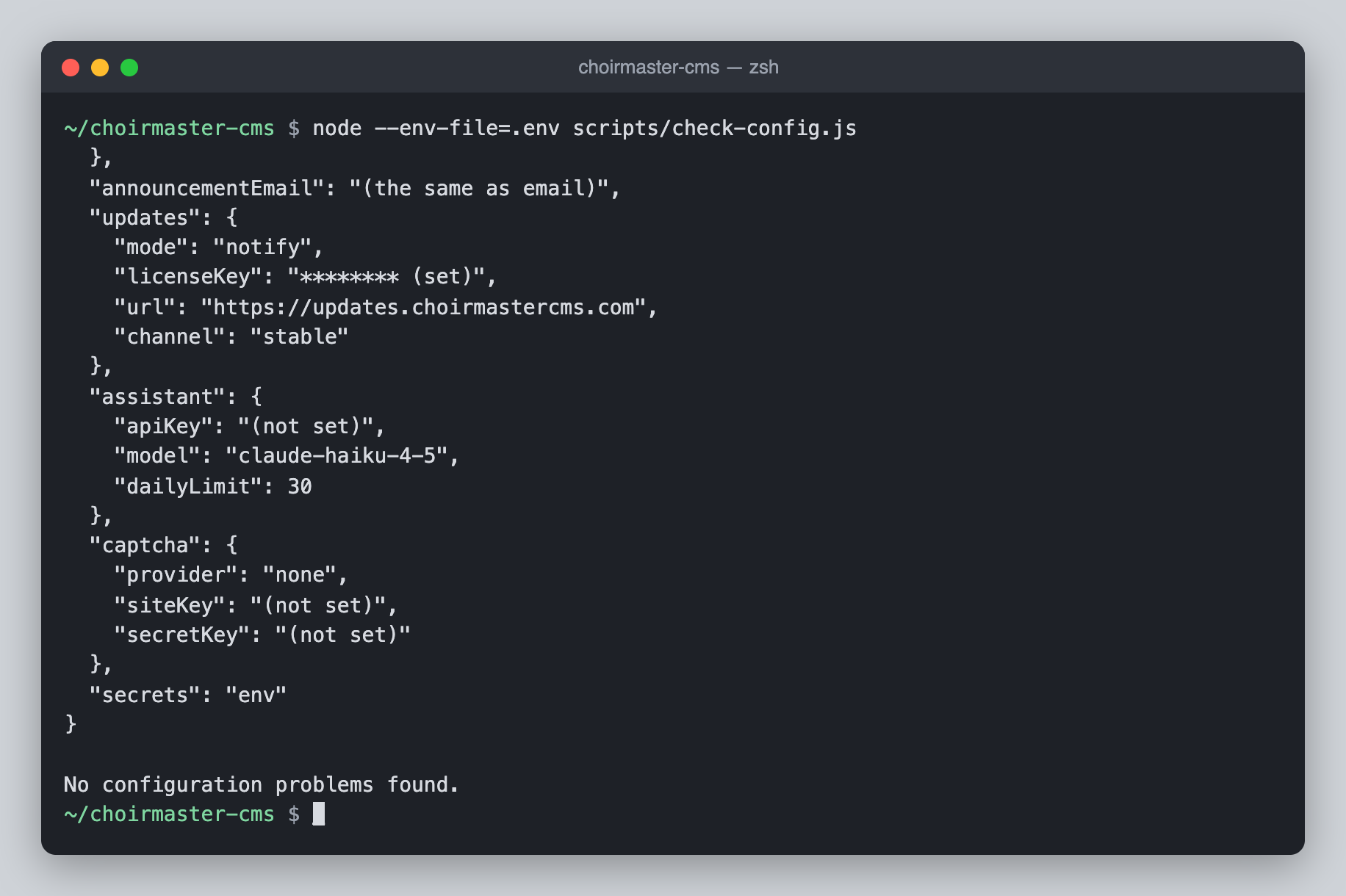
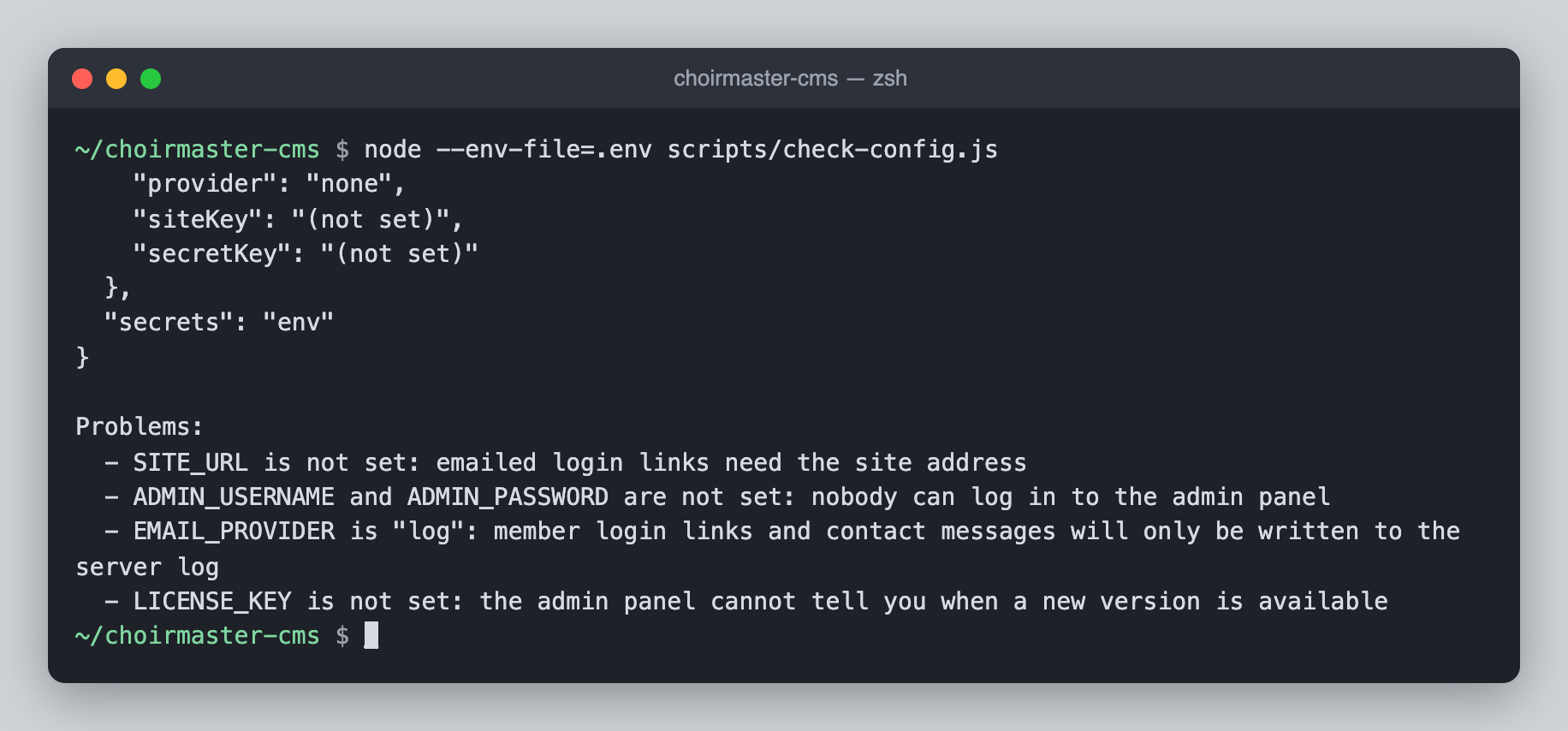
Otherwise a list, and the command ends with exit code 1, which makes it usable in a deployment script:
Problems:
  - SITE_URL is not set: emailed login links need the site address
  - ADMIN_USERNAME and ADMIN_PASSWORD are not set: nobody can log in to the admin panel
  - EMAIL_PROVIDER is "log": member login links and contact messages will only be written to the server log
  - LICENSE_KEY is not set: the admin panel cannot tell you when a new version is available
Three things to know when reading it:
- It always judges the settings as a Node server would. It does not know about Cloudflare. On a Worker, read the
[config]lines innpx wrangler tailinstead. updates.modereadsnotifyhere even where the running site saysself. One-click updates need the launcher, and the check is not started by it. Trust the Updates page of the admin panel for this one.db.urlonly says whetherDATABASE_URLis set. The address, which contains the database password, is never printed.
The same problems appear when the server starts
On start the server writes each problem to its log, with [config] in front:
[config] LICENSE_KEY is not set: the admin panel cannot tell you when a new version is available
None of them stops the server. A site with problems starts and runs as well as it can, so look for these lines after every change. Where the log is kept is in Logs and health checks.
Every problem and what to do
"In production" means NODE_ENV is unset or production.
| Message | Cause | What to do |
|---|---|---|
SITE_URL is not set: emailed login links need the site address | In production, with no SITE_URL. | Set SITE_URL to the site's public address. |
ADMIN_AUTH is "…": use env or table. Nobody can log in to the admin panel until it is one of them | ADMIN_AUTH is something other than env or table. | Correct it. Until then every admin login is refused. |
ADMIN_USERNAME and ADMIN_PASSWORD are not set: nobody can log in to the admin panel | ADMIN_AUTH=env (the default) and one or both are missing. | Set both. |
ADMIN_USERNAME and ADMIN_PASSWORD are not set: with ADMIN_AUTH=table there is then no way in if the admins table is empty or email is down (add the first admin with `npm run admin:add`) | ADMIN_AUTH=table with no username and password kept as a spare key. | Either set them, or accept it and add the first admin from the command line. |
ADMIN_AUTH=table sends admins a login link by email, and EMAIL_PROVIDER is "…": only ADMIN_USERNAME and ADMIN_PASSWORD will get anyone in | ADMIN_AUTH=table while email is none, or log in production. | Set up a real email provider. |
ADMIN_PASSWORD is short; use at least 12 characters | In production, a password under 12 characters. | Use a longer one. The short one still works. |
EMAIL_PROVIDER is "log": member login links and contact messages will only be written to the server log | In production, with email still at its default. | Set up a real email provider. |
EMAIL_FROM is not set | A real provider is chosen but there is no sender address. | Set EMAIL_FROM. |
Announcements have an email provider but no address to send from: set EMAIL_FROM or ANNOUNCEMENT_EMAIL_FROM | The provider used for announcements has no sender address. | Set one of the two. See Send announcements through a different service. |
DATABASE_URL is needed for DB_PROVIDER=postgres (or mysql) | PostgreSQL or MySQL chosen with no address. | Set DATABASE_URL. This one is not reported for the spellings postgresql and mariadb, which work but are not checked. |
STORAGE_PROVIDER=s3 needs S3_ACCESS_KEY_ID, S3_SECRET_ACCESS_KEY, S3_PUBLIC_BUCKET and S3_PRIVATE_BUCKET | One of the four is missing. | Set all four: S3-compatible storage. |
SESSION_STORE=redis needs REDIS_URL | Redis chosen with no address. | Set REDIS_URL. |
SESSION_STORE=memory loses every login on restart and does not work with more than one process | In production, with sessions in memory. | Use database or redis: Sessions. |
UPDATE_MODE is "…": use self, notify or off. Using … | An unknown UPDATE_MODE. | Correct it. The message says which mode is in use meanwhile. |
UPDATE_CHANNEL is "…": use stable, beta or dev. Using stable | An unknown UPDATE_CHANNEL. | Correct it. |
UPDATE_MODE=self needs the server to be started by the launcher (`npm start`, or the Docker image); the admin panel will show update steps instead | UPDATE_MODE=self, but the server was not started by the launcher. The check itself always reports this when UPDATE_MODE=self is set, for the reason given above. | Start the site with npm start or the Docker image, or leave UPDATE_MODE unset. |
UPDATE_MODE=self is not possible on Cloudflare Workers; the admin panel will show update steps instead | UPDATE_MODE=self on a Worker. Seen in the Worker's log only. | Remove it. |
LICENSE_KEY is not set: the admin panel cannot tell you when a new version is available | No licence key, and updates not switched off. | Set LICENSE_KEY, or set UPDATE_MODE=off if you mean to do without. |
CAPTCHA_PROVIDER=… needs CAPTCHA_SITE_KEY and CAPTCHA_SECRET_KEY | A bot check is chosen and a key is missing. | Set both: Stop spam with a bot check. |
The check does not catch everything. It does not notice a misspelt provider name, a wrong password in DATABASE_URL, a bucket that does not exist or an email key that has been revoked. Those show up as one of the errors below, or the first time the site tries to use the thing.
Errors that stop the server
These are not warnings. On Node the server logs the error after [server] failed to start: and exits, and whatever supervises it (systemd, Docker) will usually try again. The helper scripts stop with the same messages.
| Message | Cause |
|---|---|
Unknown SECRETS_PROVIDER "…". Use env, vault, aws-secrets-manager, doppler or infisical. | A misspelt SECRETS_PROVIDER. |
VAULT_ADDR, VAULT_TOKEN and VAULT_SECRET_PATH are required | SECRETS_PROVIDER=vault with one missing. |
AWS_REGION, AWS_SECRETS_MANAGER_SECRET_ID, AWS_ACCESS_KEY_ID and AWS_SECRET_ACCESS_KEY are required | SECRETS_PROVIDER=aws-secrets-manager with one missing. |
DOPPLER_TOKEN is required | SECRETS_PROVIDER=doppler with no token. |
INFISICAL_TOKEN, INFISICAL_PROJECT_ID and INFISICAL_ENVIRONMENT are required | SECRETS_PROVIDER=infisical with one missing. |
A status code and the manager's own answer, such as 403 Forbidden: … | The secrets manager was reached and refused, or could not be reached at all. The server will not start without its secrets. |
Unknown DB_PROVIDER "…". Use sqlite, postgres or mysql (d1 is for Cloudflare). | A misspelt DB_PROVIDER. postgresql and mariadb are also accepted. |
| The database driver's own error, such as a refused connection or a failed password | The database could not be reached while applying the schema at start. |
Unknown STORAGE_PROVIDER "…". Use local or s3 (r2 is for Cloudflare). | A misspelt STORAGE_PROVIDER on Node. |
Unknown SESSION_STORE "…". Use database, redis or memory (kv is for Cloudflare). | A misspelt SESSION_STORE on Node. |
Unknown EMAIL_PROVIDER "…". Use none, log, ses, smtp, resend, sendgrid, mailgun or postmark. | A misspelt EMAIL_PROVIDER, or smtp on Cloudflare, where it is not available. |
EMAIL_PROVIDER=ses needs AWS_REGION, AWS_ACCESS_KEY_ID and AWS_SECRET_ACCESS_KEY | Amazon SES chosen with one missing. |
EMAIL_PROVIDER=smtp needs SMTP_HOST (and usually SMTP_PORT, SMTP_USER, SMTP_PASS) | SMTP chosen with no host. |
EMAIL_PROVIDER=resend needs RESEND_API_KEY | Resend chosen with no key. |
EMAIL_PROVIDER=sendgrid needs SENDGRID_API_KEY | SendGrid chosen with no key. |
EMAIL_PROVIDER=mailgun needs MAILGUN_API_KEY and MAILGUN_DOMAIN | Mailgun chosen with one missing. |
EMAIL_PROVIDER=postmark needs POSTMARK_SERVER_TOKEN | Postmark chosen with no token. |
PUBLIC_BUCKET and PRIVATE_BUCKET R2 bindings are required (or set STORAGE_PROVIDER=s3) | On Cloudflare, a bucket binding is missing from wrangler.toml. See R2 on Cloudflare. |
The email errors apply to announcements as well, when they have settings of their own.
On Cloudflare there is no start to fail. The Worker is built on the first request it receives, so one of these errors makes every request fail until the setting is corrected and the Worker deployed again. npx wrangler tail shows the message.
A site.config.json that is not valid JSON also stops a Node server at start; see Ship your own defaults.
A file that cannot be read is not an error
When a NAME_FILE setting points at a file that is missing or unreadable, the server logs a line and carries on without that value:
[secrets] could not read ADMIN_PASSWORD_FILE=/run/secrets/admin_password: ENOENT: no such file or directory, open '/run/secrets/admin_password'
The check prints the same line above its JSON. The setting then shows as (not set), and usually as a problem in the list too.